-
-
Allright. Dont be upset if your stick gets ****ed up after 3 months of use. Youre probably not used to it at all and are using more physical force than necessary. Its natural, nothing to be panicking about. Just that the joystick will not withstand the pressure and the "potentiometres" (the thingies that measure the movement of the stick) will wear out very quickly. Youll probably going to be able to churn out another 2-3 months from your stick and then you can use it as a tie-holder. Your second stick will be the one that will last you a long time, but thats because your hands are adjusted to it and you use less physical force.Originally posted by adamism
Well probably have this discussion in a few months :pComment
-
the g15 keybored kidna sucks.. I have one but went to a Saitek Ecliopse II it is much better.. and as for a mouse as long is it has a high dpi.. it is fine.. buying that stuff will not make you any better if you already have good stuff..Originally posted by p-n*Cynic~GunnerComment
-
I make quick exits from servers when I play as a private. Bans are by GUID. I have been banned from every Dalian server in the US.... if you count that across my 3 GUIDs. I have 3 copies of the game (I got the original copy for $30, the other 2 I bought for 9.99 a piece, haha) so I can pub because I'm banned from everywhere.
Also, you can mod accounts. I know of a server that my friends set up that will rank you up for every 2 points you get. Get a kill, get a rank. Get a revive, get a rank.
Case in point: My favorite smurf account (yes this is me)
Notice the rank, the hours/kills
I won't get banned from a server for playing well on an account with that rank.
Also...
25+ BF2 accounts is not an "issue"
Open BF2, think of a new name, put in a fake email address, copy your profile folder. It takes 1 minute to set up a new BF2 account.
False. G15 rules. Everybody who has typed on it has told me it's the best keyboard they've ever used. The LCD is ****ing awesome. The BF2 applet for it is ****ing awesome. The macros are awesome.
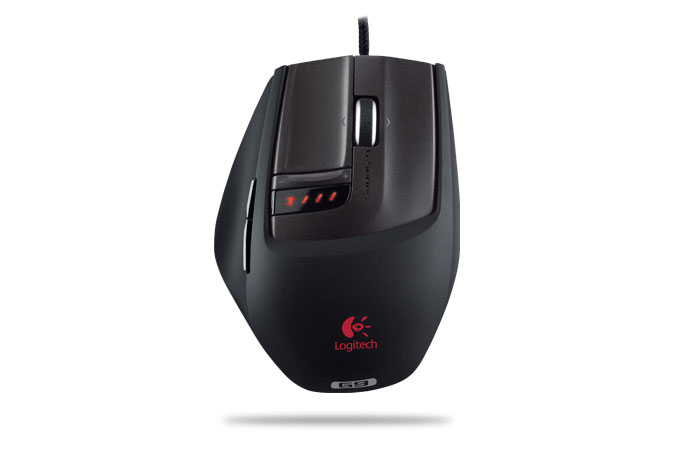
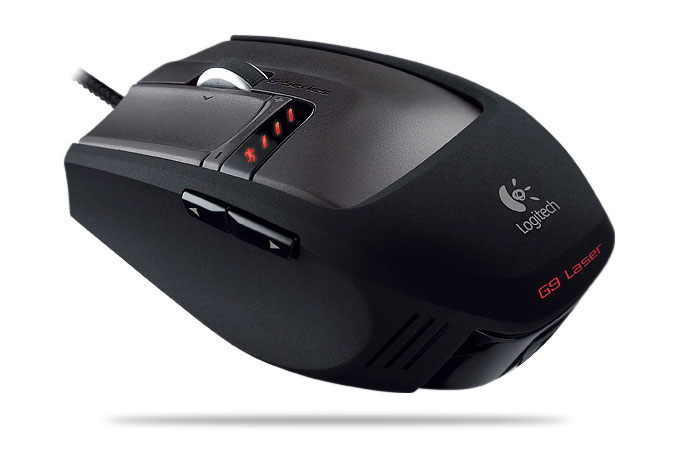
My mouse comes with 9 buttons which I use to full extent. All of the buttons are assigned to keystrokes ingame.
left and right click are left the same, as is the scroll wheel for changing weapons
Pushing the scroll wheel to the right = F2, switches me to gunner seat
Pushing scroll wheel left = F1, switches me to pilot seat
Forward button = M - brings up the full screen map (which I have at 85% transparency so I can see where I'm flying with the map open all of the time
Back button = right bracket = push to talk button for Ventrilo
Pushing down the scroll wheel = F9 = moves the camera back to the cockpit from any other view, as I often fly in 3rd person. Flying in 3rd person is great for a chopper but you can't really line somebody up for a TV when you're flying in 3rd, so I mapped that so I wouldn't have to push C 4 times to get back to the cockpit view.
Tell me you're more effective than me with a regular mouse when I can switch to gunner seat and fire in less than one tenth of a second.
Tell me you're more effective than me with a regular mouse when I can fluidly switch from gunner seat to pilot seat without moving my hands, and can fluidly change camera views without any unnecessary button pushing.
Do anything I do with a "normal" mouse and keyboard. Please. I was nasty before I got an MX1000. After that I was pretty much unstoppable. Not having to move your hands at all is a HUGE advantage in choppers. The 1000 hours in the chopper has changed my style of play more than my equipment, but I definitely feel more confident flying with my 3200DPI G9 than with my old 1600DPI MX1000. I was pretty dirty before but now I'm doing barrel rolls at 5m above the water and pulling into tight slides underneath bridges and ****, making me damn near impossible to hit if I have any sort of cover to work with. You might think that the cranes on dalian plant / sharqi are awful for cover (the 2 tall ones in the middle of the map at dalian, the one at Construction on Sharqi) but if you know what you're doing, those criss crossed bars that are 4 inches wide will save your *** in a 20 foot long chopper every time.Comment
-
joystick is the only way to dominate with jets/bombers, keyboard and mouse for choppers though.Comment
-
Cynic~Gunner that must be your longest post? :p
Somehow I missed that 3200dpi mice are out. I have myself a 2500 one (with 5 changeable dpi levels, lowest dpi for gunning) from a4techComment
-
You can buy joystick but don't think that you'll become a good pilot straight away.
I bought one and found it to be very awkward to use, and I was constantly crashing, returned it and went back to KM.Comment
-
i never used a joystick for planes. its just kinda hard to keep switching back from joy to keyboard everytime, esp in mid-battle. im comfortable using the keyboard when flying so if i engage in a dogfight and blow you outta the sky, you'll know i didnt use a joystick for that heheComment
-
BF2 its worth it BF2142 not really :)Comment
-
I used to have my joystick right above my mouse. I use a really low sensitivity to ensure greater accuracy, so I make really wide, sweeping movements. It's not too hard to take my hand off my mouse after pressing "E" to get into a jet. I use a keyboard and mouse to fly choppers, so the joystick is only good for jets in my case.Comment
-
I keyboard/mouse fly. U just have to get used to it. For me i cranked the sensitivity up to high and practised for a while. Yeah SOME joystick flyers might have an advantage but all the time j10vs f35, whos gonna win. With any flying equipment you can take down an F35 with a J10 easily. Just practise and crank sensitivity up to high
JonComment
-
Guess I'm old school too, I have played only mouse since release and I fly jets and helo's fine both.
It takes time though but just log in to single player or start a lan with bots on FLY maps and practice. I had to invert my mouse on FLYING (just because that was easier for me) but I can fly against some old clanmates that use the joystick and even hundred dollor flysticks and still get behind them and tomahawk them down...
the flying in bf2 just takes practice... practice practice practice..
but in time you won't even know you're using your keyboard or a stick you will just be in the game flying and trying to take down the enemy.Comment
-
Thats because your clanmates suck. I love the people who think a 1000 dollar sticks make you into a maverick. But I love those people even more who think that they fly better because of their mouse and think that shooting down a stick pilot makes them "uber" in any way.Originally posted by bytebull
As I said, worlds top is occupied by joystick pilots. And theres a reason for that.Comment
-
Because they want to use one...?Comment

 There are more bugs and glitches in this world than you can imagine :)


Comment