BF2 in widescreen, Guide Here!

Collapse
X
 
  • Time
  • Show
Clear All
new posts
  • skooby1doo

    #136
    Re: BF2 in widescreen, Guide Here!

    hell ya i finaly got it to work and man is it great thanks yall

    Comment

    • ThaEllisDee

      #137
      Re: BF2 in widescreen, Guide Here!

      Alright guys, I've tried using the steps and procedure listed prior to no avail.

      Initialy I adjusted the shortcut and video.con file accordingly, no success. So I deleted the video.con files, no success, scrapped the whole BF2 folder, and still no success.

      Currently, the video.con file looks like so;

      VideoSettings.setTerrainQuality 2
      VideoSettings.setGeometryQuality 2
      VideoSettings.setLightingQuality 2
      VideoSettings.setDynamicLightingQuality 2
      VideoSettings.setDynamicShadowsQuality 2
      VideoSettings.setEffectsQuality 2
      VideoSettings.setTextureQuality 2
      VideoSettings.setTextureFilteringQuality 2
      rem VideoSettings.setResolution 800x600@60Hz
      VideoSettings.setAntialiasing Off
      VideoSettings.setViewDistanceScale 1
      VideoSettings.setVideoOptionScheme 1

      So far as I can tell that would be the default settings created after I deleted the folder. The target for my BF2 shortcut on the desktop is as follows.

      "C:\Program Files (x86)\EA GAMES\Battlefield 2\BF2.exe" +menu 1 +fullscreen 1 +szx 1680 +szy 1050

      Help would be appreciated.
      For any that may ask or find it relevant, the related hardware is a samsung 226BW 22" widescreen, and 2x nvidia 8800 GTS ACS SLI cards.

      Comment

      • clinton.who

        #138
        Re: BF2 in widescreen, Guide Here!

        i recently just got a BENQ 22" and i did the 1680x1050, but for some reason i got black bars on the left only and like the screen was moved to the right, so i cant see parts of the right screen now.. so i take a screen shot

        Comment

        • clinton.who

          #139
          Re: BF2 in widescreen, Guide Here!

          sorry double post my accident

          Comment

          • USteppin

            #140
            Re: BF2 in widescreen, Guide Here!

            I'm having this same problem, using a Radeon 9800 pro with an Asus 22" monitor, game attempts to load and then just quits out, deleting the cache did not fix the problem.

            Originally posted by ent|ty
            I just bought an ACER 22" AL2216W LCD monitor with a 1680x1050 resolution, and I can't get BF2 to start with it.

            I currently use Nvidia 6600GT 128MB video card, I'm not sure if it's able to support this resolution or not - that may be the problem.

            Updated the Nvidia drivers today to hopefully be able to support this widescreen edition but it still fails. BF2 starts, goes to load, and exits (I assume it does not want to play in that mode).

            I made the described changes to my Video.con file - failure. Launch the game from the customized shortcut - failure.

            **UPDATE**
            From the NCIX Forums

            Deleted the cache, and restarted BF2 from customized shortcut, and BF2 ran fine.

            Comment

            • sushi25

              #141
              Re: BF2 in widescreen, Guide Here!

              Originally posted by OWNAGE TIME
              So this is what you need to do:

              Right click on your Battlefield 2 icon on the desktop, click on properties on the part where it says target, add +szx 1920 +szy 1200 (Or whatever your resolution is). So it looks like this ...

              "C:\Program Files\EA Games\Battlefield 2\BF2.exe" +menu 1 +fullscreen 1 +szx 1920 +szy 1200

              NOTE: Some may also need to do this however only do this if the first fails. In most cases this can be ignored but I have seen some that need this.


              Navigate to: "My Documents\Battlefield 2\Profiles\Default\Video.con"

              Find line: VideoSettings.setResolution 1600x1200@75Hz (Or whatever your resolution is at)

              You can either change this line to something like 800x600@60Hz, or just stick "rem " in front of the whole mess so that it is ignored by BF2. (You'll be overriding it with shortcut parameters anyway)


              Did the 2 things mentioned above and cleared my BF2 cache to get new shaders

              interestingly enough the "rem" line is gone after I restarted again transferred back to the original entry. Apparently the override isn't working?!

              I am able to get a full screen display and a running game, but I do not think the resolution is as detailed as it should be. Is there any way to check the running resolution in game?

              Interestingly the max resolution shown in BF2 video settings when I use my new samsung 226 is 1360x1024@60Hz while I am able to see much higher resolutions

              Comment

              • Teh_Diplomat
                Member
                • Aug 2006
                • 287

                #142
                Re: BF2 in widescreen, Guide Here!

                When running BF2 in a widescreen monitor, shouldn't one change the properties from 'fullscreen' to 'widescreen'?


                Mine goes like this.

                "C:\Program Files\EA Games\Battlefield 2\BF2.exe" +menu 1 +widescreen 1 +szx 1680 +szy 1050


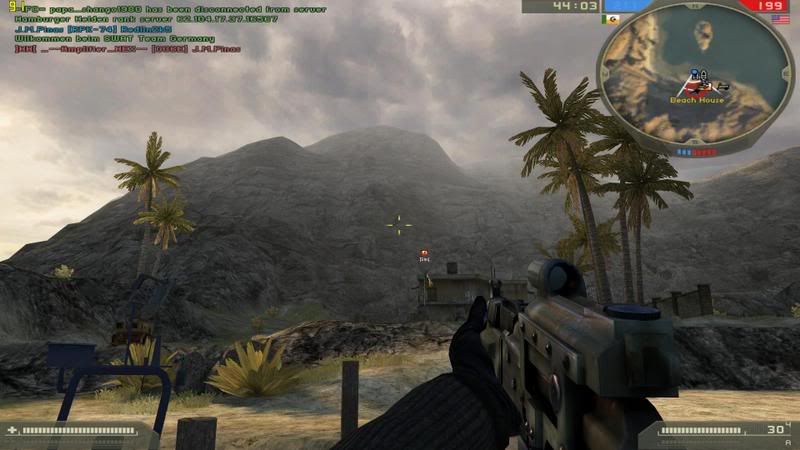
                Anyways here is a screen-cap at 1680x1050 that is most likely auto-resized(1024x640) from photobucket.

                Comment

                • Boomstick68
                  Member
                  • Apr 2006
                  • 259

                  #143
                  Re: BF2 in widescreen, Guide Here!

                  I have a new Westinghouse 42" LCD HD TV I thought I would use for my new monitor. Here is some screens at 1600X900.


                  another...

                  Comment

                  • GeneralPatton
                    Member
                    • May 2005
                    • 942

                    #144
                    Re: BF2 in widescreen, Guide Here!

                    You have a 42" Widescreen and your only running 1600x1000?

                    I run my 22" Widescreen LCD @ 1680x1050

                    Comment

                    • Boomstick68
                      Member
                      • Apr 2006
                      • 259

                      #145
                      Re: BF2 in widescreen, Guide Here!

                      Do you have to do this for SF too and all other mods?
                      Here is 1920x1080:


                      Here is my solution for Special Forces XPack:
                      "C:\Program Files\EA GAMES\Battlefield 2\BF2.exe" +modPath mods/xpack +ignoreAsserts 1 +menu 1 +fullscreen 1 +szx 1920 +szy 1080

                      Comment

                      • sm007h
                        Member
                        • Jun 2006
                        • 75

                        #146
                        Re: BF2 in widescreen, Guide Here!

                        Originally posted by GeneralPatton
                        You have a 42" Widescreen and your only running 1600x1000?

                        I run my 22" Widescreen LCD @ 1680x1050
                        What's the point of running resolutions higher than the screen's native resolution? The screen is just going to shove it all into whatever it natively displays anyway.

                        If his 42" is 1080p then 1600x1000 is probably matched dot-to-dot to his native display and as high as it will go.

                        Comment

                        • blakep81

                          #147
                          Re: BF2 in widescreen, Guide Here!

                          I've been running mine on 2560x1600 since the day I got my 3000WFP.
                          All I did was the entries on the shortcut and she works like a dream - I can upload a screenie if you guys wanna see...

                          Comment

                          • Boomstick68
                            Member
                            • Apr 2006
                            • 259

                            #148
                            Re: BF2 in widescreen, Guide Here!

                            Originally posted by blakep81
                            I've been running mine on 2560x1600 since the day I got my 3000WFP.
                            All I did was the entries on the shortcut and she works like a dream - I can upload a screenie if you guys wanna see...
                            Absolutely! Show us!

                            Comment

                            • System
                              Member
                              • Jun 2006
                              • 1091

                              #149
                              Re: BF2 in widescreen, Guide Here!

                              1680x1050


                              Is it just me or do the MEC not know how to build straight walls???

                              Comment

                              • Leopardi
                                Member
                                • Aug 2005
                                • 656

                                #150
                                Re: BF2 in widescreen, Guide Here!

                                Better to add no scale option from nvidia panel, and play with 1280x1024 even if you have widescreen.

                                Comment

                                Working...