Help Me w/ Saving Profile

Collapse
X
 
  • Time
  • Show
Clear All
new posts
  • Anarchy92

    #1

    Help Me w/ Saving Profile

    Hello all!

    I read the sticky on saving/backing up your profile and yet i cannot for the life of me find the players folder. My pc uses Vista and no where in the CoD4 folder is there anything that has anything to do with my profile. I searched my entire pc for the player folder and for the mpdata file, still with no luck. If someone could please help me out in any way, it would be most appreciated.

    Thanks!

    EDIT- On a separate note, ever since i downloaded the v1.3 patch, i have huge *** lag spikes every 10 or so seconds while in servers( I'm talking from mid 50s to 999!). My pc is more than whats needed to run CoD4 effectively and I have cable internet. Could some one tell me what i need to do to fix this. It would be greatly appreciated, thanks!
  • imported_Whiskey
    Member
    • May 2007
    • 3325

    #2
    Originally posted by Anarchy92
    I read the sticky on saving/backing up your profile and yet i cannot for the life of me find the players folder. My pc uses Vista and no where in the CoD4 folder is there anything that has anything to do with my profile. I searched my entire pc for the player folder and for the mpdata file, still with no luck. If someone could please help me out in any way, it would be most appreciated.
    Like almost everything else, Vista just can't help but be difficult.

    The answer is near the bottom of this thread here: http://www.totalgamingnetwork.com/ma...d.php?t=137864

    Comment

    • eXo|Cecil

      #3
      Here's a utility for backing up your profile. Don't know about it's Vista compatabilty though.

      Comment

      • Anarchy92

        #4
        Thanks for the responses guys, your god sends.

        Any advice for the other problem??

        EDIT- I just tryed uninstalling to i could reinstall and not get 1.3 patch so i wont get those lag spikes i talked about. I uninstalled through the add/remove programs and deleted all activision folders and whatnot. Now, i put the CoD4 disk and at the popup menu says "uninstall" where it should say "install". I rebooted but nothing changed. I've never heard of a problem like this, any help guys??

        Comment

        • imported_Whiskey
          Member
          • May 2007
          • 3325

          #5
          Originally posted by Anarchy92
          I uninstalled through the add/remove programs and deleted all activision folders and whatnot. Now, i put the CoD4 disk and at the popup menu says "uninstall" where it should say "install".
          Tsk, tsk...you broke a cardinal rule of PC gaming. If an application comes with an "uninstall" option on the disc or Start Menu path, you should ALWAYS use that. By going through Add/Remove Programs, you often get an incomplete uninstall that will cause errors/confuse the program.

          Try the "uninstall" option that running the disc gives you. If that doesn't work, you likely have a registry entry that has been left behind. If you're comfortable using Regedit, do a Google search for COD4's registry entries and delete them manually, then try to install again.

          Comment

          • Anarchy92

            #6
            Originally posted by Whiskey
            Tsk, tsk...you broke a cardinal rule of PC gaming.
            I feel so ashamed...

            I haven't a clue how to use regedit, but ill use the search feature(idk if it will be effective). Is there like a radical/last resort type of thing i can/need to do?

            EDIT-Forgot to mention that when i try to unistall option that CoD provides, it just exits the pop up window and does nothing.

            Comment

            • imported_Whiskey
              Member
              • May 2007
              • 3325

              #7
              Originally posted by Anarchy92

              I haven't a clue how to use regedit, but ill use the search feature(idk if it will be effective). Is there like a radical/last resort type of thing i can/need to do?
              Ok, try this:

              a) START button->Run...->type in: regedit and hit OK.
              b) Navigate through the following path: My Computer->HKEY_LOCAL_MACHINE->SOFTWARE->Activision->Call of Duty 4
              c) in the COD4 directory, if the entry called codkey is still there, delete it. Then exit regedit and try to install again.
              d) if that doesn't work, and there were other entries in the Call of Duty 4 section, delete that entire COD4 directory. Try the install again at that point.

              I think that's the only place where COD4 entries are stored, but if that doesn't work, I can try to look further.

              Comment

              • Anarchy92

                #8
                After i clicked software, i looked through the list but activision(or anything related to CoD4) existed there. Should i just email Infinity Ward about this problem?

                Comment

                • imported_Whiskey
                  Member
                  • May 2007
                  • 3325

                  #9
                  You can try to contact Activision Technical Support/log a support ticket and see if they can help.

                  I wonder if because you're using Vista, that it might have either hidden the registry entry from view, or if it's stored in a different place. :|: Damn you, Micro$haft.

                  One more thing if you haven't already tried...reboot your PC and see if it resets anything and allows you to re-install.

                  Comment

                  • Anarchy92

                    #10
                    Yea, damn Vista to hell!

                    Rebooting was accually the first thing i tried. Ill try contacting Activision.

                    Thanks for all the help, Whiskey, I appreciate it.

                    Comment

                    • imported_Whiskey
                      Member
                      • May 2007
                      • 3325

                      #11
                      No problem. Sorry we couldn't find an easy fix.

                      Maybe someone else here can suggest something.

                      You could also try to visit the forum at www.infinityward.com and make a post in the PC section. There are a lot of very knowledgable people there, and the IW Community Manager "fourzerotwo" also reads that section. Never know, someone might have a solution. If you do, be sure to lay out all your info, and what you have tried so far.

                      Good luck.

                      Comment

                      • eXo|Cecil

                        #12
                        Try using Crap Cleaner.

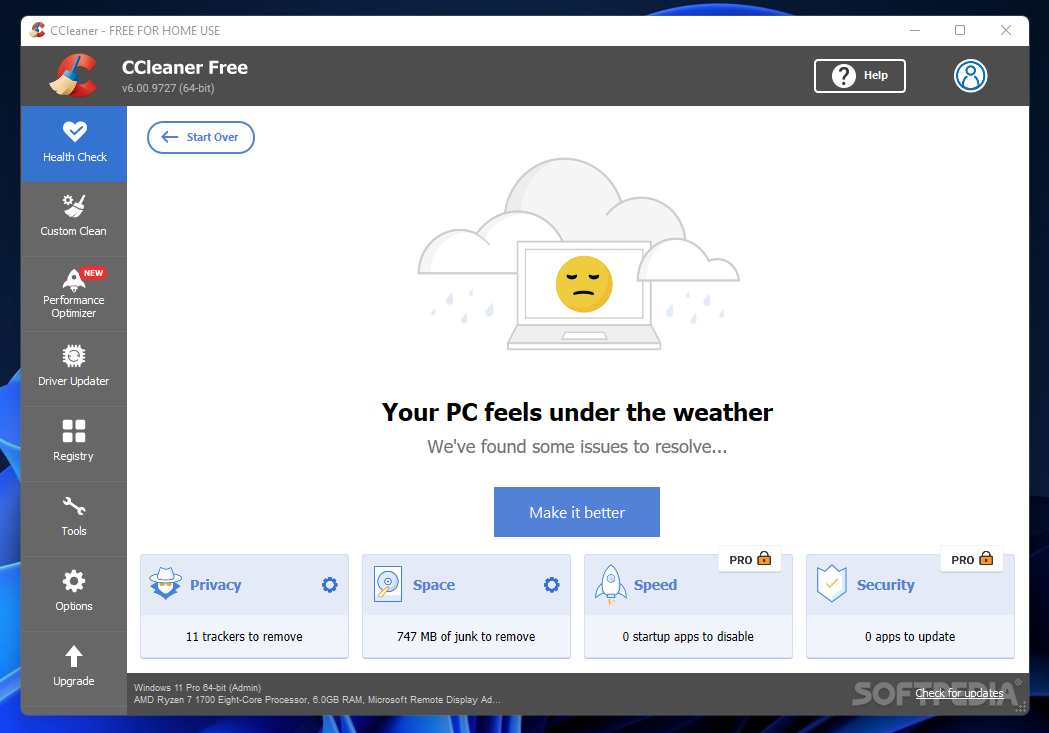
                        Download CCleaner - Make your PC as good as new by having junk files removed, broken registry fix and a lot more tools packed this Crap Cleaner (CCleaner)


                        When you open it up there is a box on the left called Registry. Try run that to clean it out. As well, look in the Tools part and it'll help you uninstall any left behind components.

                        I run that progam a lot and find it usefull.

                        Comment

                        • StoneCold313
                          Member
                          • Jul 2007
                          • 2198

                          #13
                          Originally posted by eXo|Cecil
                          Try using Crap Cleaner.

                          Download CCleaner - Make your PC as good as new by having junk files removed, broken registry fix and a lot more tools packed this Crap Cleaner (CCleaner)


                          When you open it up there is a box on the left called Registry. Try run that to clean it out. As well, look in the Tools part and it'll help you uninstall any left behind components.

                          I run that progam a lot and find it usefull.
                          I use EasyCleaner to clear out registry, it also clears all nonsense temp files etc...

                          Comment

                          • Anarchy92

                            #14
                            Thanks for the help guys. I tried the crap cleaner but no luck.

                            Comment

                            • BIGkingDONG

                              #15
                              HAving same problem with the reinstal .

                              thread :-
                              Homepage for Total Gaming Network and CS-Nation. Get the latest video game news, previews, and reviews on a daily basis.


                              hope some one can help .

                              Comment

                              Working...