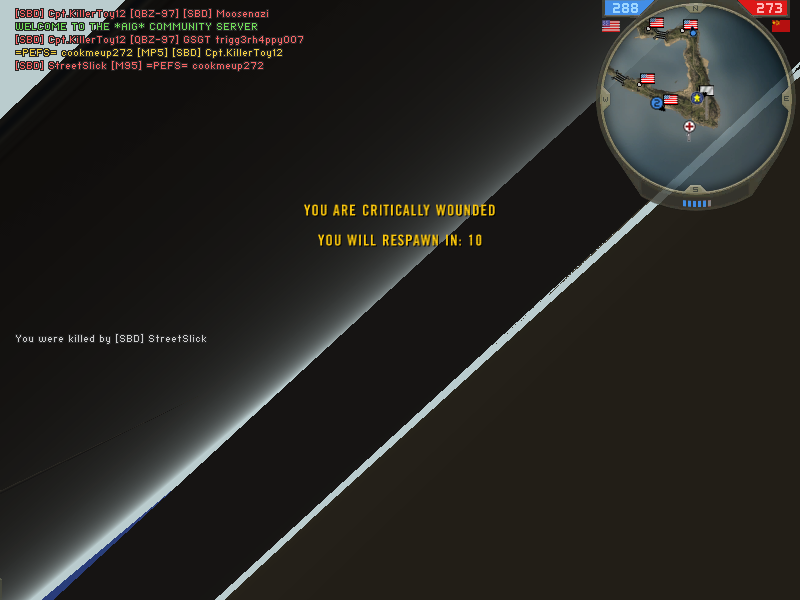
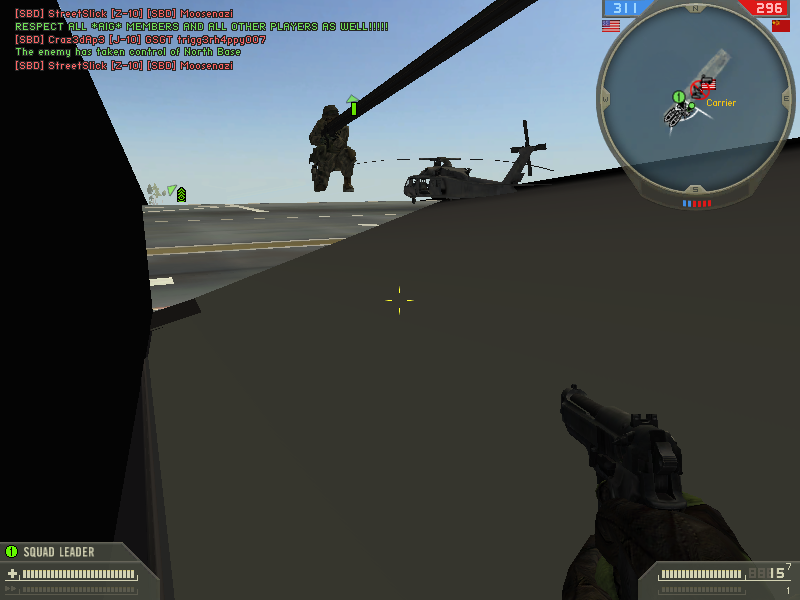
How do i fix these artifacts?

Collapse
X
 
  • Time
  • Show
Clear All
new posts
  • cookmeup272

    #1

    How do i fix these artifacts?

    i have posted on the official battlefield 2 and bf2s forums and so far no one has helped me. hope full i can get some here! here is what happens to me most of the time i play:


    i have tried messing with the clocks on my vid-card and it didnt help. what do u guys think? o and im not overheating either.
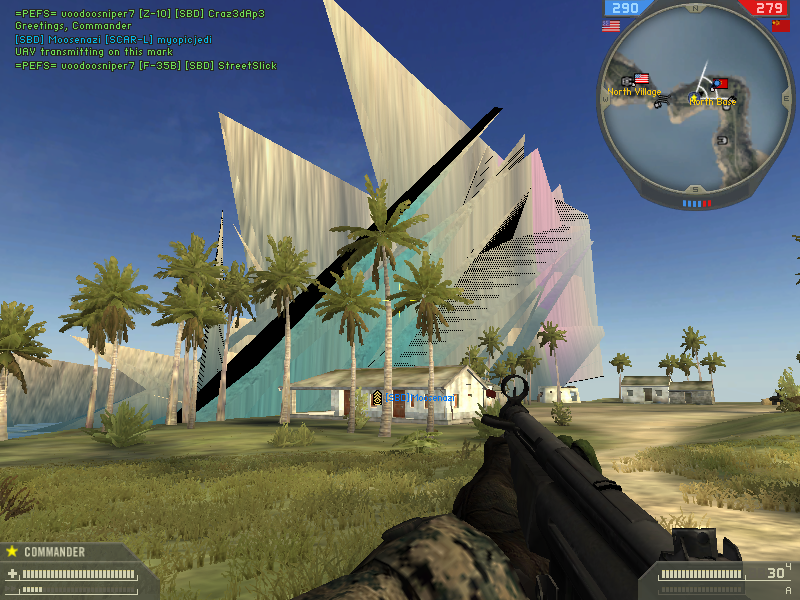
  • Trevortt

    #2
    Re: How do i fix these artifacts?????

    What are your full system specs?

    Also what type of cooling do you have on the gfx card if any?

    It could also be defect drivers your using what drivers are u using?

    Comment

    • cookmeup272

      #3
      Re: How do i fix these artifacts?????

      i had the 93.71 drivers and then i tried the beta 93.81. that didnt help. and as of my specs:
      amd 2.0ghz dual core
      1 gig ddr2 800 ram
      nvidia 7300gt pci-e 256mb
      450 watt psu

      dont think anything else should matter but i can supply more if needed. there is no fan on the card...it has a heatsink...but it stays around 63-67 degrees Celsius.

      Comment

      • trident133

        #4
        Re: How do i fix these artifacts?????

        I had the same problem myself. Never ever had this issue before.

        Specs: 2.6ghz pentium 4, 1gb RAM, 500Wpower Supply, NVIDIA 7600GS AGP 512mb with latest non beta drivers. Before I reformatted my harddrive, I had 512mb less of RAM, 160W less power, and an ATI 9550 256mb and never saw these artifacts. Could it be a bad patch install or anthing like that? Temps of card is 47 degrees c.

        Comment

        • Trevortt

          #5
          Re: How do i fix these artifacts?????

          What type of PSu have you both got?

          ie no brand or decent brand like Hyper?

          have a budget PSU can cause all sorts of problems cos even if the cheap psu says 500w it will not run at that speed instead about 300. So if you are using a cheap brand i advise you to spend that little bit more and gor for a branded psu like, Hyper, OCZ, Akasa, CoolerMaster, Tagan, Antec.

          If you have a decent branded PSU then did u completly remove the old drivers before installing new ones?

          Hence did you use driver cleaner

          Comment

          • cookmeup272

            #6
            Re: How do i fix these artifacts?????

            i have used driver cleaner and my psu is one that came with the case...dont really wanna spend the money on a bigger and better psu yet.

            Comment

            • ConscriptVirus
              Member
              • Oct 2007
              • 6369

              #7
              Re: How do i fix these artifacts?????

              ur psu should be enuff

              i still think its temperature...no fan on a card? and temps can jump pretty fast when ur in game

              Comment

              • Trevortt

                #8
                Re: How do i fix these artifacts?????

                Originally posted by cookmeup272
                i have used driver cleaner and my psu is one that came with the case...dont really wanna spend the money on a bigger and better psu yet.
                Exactly what i am on about, it will be a unbranded psu, the ones that come with cases are really cheap & nasty. have you got any mates who have any decent branded psu's they will let you try out in your pc?

                Originally posted by ConscriptVirus
                ur psu should be enuff

                i still think its temperature...no fan on a card? and temps can jump pretty fast when ur in game
                a budget PSU can cause all sorts of problems cos even if the cheap psu says 500w it will not run at that speed instead about 300.

                Comment

                • cookmeup272

                  #9
                  Re: How do i fix these artifacts?????

                  ok i made it so it continued to record the temp when i play and it still is about 67-70. its definitley not overheating. i have sufficient air flow.

                  Comment

                  • Trevortt

                    #10
                    Re: How do i fix these artifacts?????

                    Originally posted by cookmeup272
                    ok i made it so it continued to record the temp when i play and it still is about 67-70. its definitley not overheating. i have sufficient air flow.
                    So it is not overheating, now u need to look at the PSU, if this is at fault which it could be due to it being a crappy one, not enough power could be getting into the gfx card, cpu, mobo hdd, etc etc causing everything to corrupt.

                    Like i mentioned above try & obtain a decent psu off a shop or your mates & see if you still get the artifacts.

                    Comment

                    • cookmeup272

                      #11
                      Re: How do i fix these artifacts?????

                      now the only thing is that the psu shouldnt be the problem. ive run many other games with it with absolutely 0 problems. ive played americas army, guild wars, silkroad online, halo, unreal tournament 2004. most of these at higher settings also.

                      Comment

                      • ConscriptVirus
                        Member
                        • Oct 2007
                        • 6369

                        #12
                        Re: How do i fix these artifacts?????

                        wat settings r u playing at?

                        Comment

                        • Trevortt

                          #13
                          Re: How do i fix these artifacts?????

                          You should have said this when you first posted as it would have helped to explain that it might possibly be not a overheating or a hardware fault, but a fault with the game on your system.

                          Comment

                          • cookmeup272

                            #14
                            Re: How do i fix these artifacts?????

                            low setting except for distance...thats 100%

                            Comment

                            • Scinto
                              Retired TGN *****
                              • Mar 2006
                              • 5387

                              #15
                              Re: How do i fix these artifacts?????

                              Originally posted by cookmeup272
                              i have tried messing with the clocks on my vid-card and it didnt help
                              that is one sentance that stood out from the rest..

                              Comment

                              Working...