New Machine, Insane Stutter (Dual Core Related ?)

Collapse
X
 
  • Time
  • Show
Clear All
new posts
  • Ogs

    #16
    Re: New Machine, Insane Stutter (Dual Core Related ?)

    Tried that power setup thing, everything appeared fine.

    Went down to 84.21 drivers, no change.

    Try renaming the EXE files, no difference.

    Id love to think that upgrading to more ram would fix it, but it just doesnt seem like a problem there (Not this kind of choppy stutteryness anyway).

    Ive also opened a support ticket with EA but no idea where this will lead

    Comment

    • warlord2000ad

      #17
      Re: New Machine, Insane Stutter (Dual Core Related ?)


      -------------------------------------------------------------------------------------
      Performance Issues
      Problem - Lag or Constant Disconnects from the Sever
      Cause - System Dependant
      Fix
      - Since this is system dependant or could be cause by several issues, i will list possible fixes.
      1. If running a Dual Core processor, load up Battlefield 2, press alt-tab to go to your desktop. Open up task Manger by pressing CTRL+ALT+DEL Once! Then right click on BF2.exe and set its Affinity to 0, Basically this tells it to use only processor 0, not 0 and 1.
      2. Go to your BF2 Audio options, and disable VOIP. This can help in some cases.
      3. Run Adware/Spyware Scans on your PC to remove unwanted software running in the background. Recommended tools for this are;
      Adaware
      Spyboy : Search & Destroy
      Windows Defender
      Spyware Blaster
      4. Check your firewalls are not the cause of the problem. Try disabling them such as Windows Firewall, Zone-alarm, and ones inbuilt into Anti-Virus programs. You could also try disabling your Anti-Virus as well to see if it increases performance. This should only be done as a test to see if it helps and that if the Firewall/Anti-Virus is the cause of the problem, once you have tried it remember to turn your firewall/anti-virus back on.
      5. If on a Wireless router try plugging it directly into the internet, to see if your lag is been cause by a bad router or interference.
      6. In BF2 Audio Options, try running software mode instead of hardware mode.
      7. if on a wireless connection this may make it better/worse, or do no change.
      Once a connection is established go to run and type "services.msc". Scroll down until you see "Wireless Zero Configuration" and click stop.
      8. Try updating PunkBuster, Use the program, pbsetup, found at this website to update Punkbuster
      9. Change your BF2.exe file and rename it to BF.exe, or basically something different than BF2.exe (Update shortcuts if necessary) On some systems this can provide a performance increase as the graphic card will treat it as a normal game and not run any special optimizations which can actually reduce performance
      10. Reduce number of PunkBuster checks
      To do this you need to:
      1. OK, the first step is very simple, join any BF2 online server which is running Punkbuster, preferably a ranked one.
      2. Once you are in, and re-spawned somewhere, press the ` key. This key is located on most keyboards above the tab key and to the left of the 1 key
      3. Once you have pressed this, a large white box should drop down with a load of text in it. Type pb_sleep500 and hit the enter key
      4. Once you have done this, make sure the box is still up and type pb_writecfg to save your settings

      11. [Advanced Users Only] - (Important, Before changing msconfig startup or services, read Warlord's Warnings just below the contents page at the top of this FAQ) Type in msconfig in the run box, and disable unnecessary start up items to try and free up more ram/CPU, this can be more effective than using task manger to close them after start up. In addition check your services in Control Panel|Administrative Tools|Services and use this guide to determine what is/not needed. Do note that editing services is about as bad as editing the registry so use extreme cation!!!
      Also you can disable the Windows XP visuals to reduce ram/CPU usage, although Windows will look more like Windows 98 you may want to try it.
      Right click on My Computer|Properties|Advanced|Performance|Settings for Best performance. This disables all the neat Windows XP looks and makes the PC that little bit faster.
      11. You could try upgrading your internet to a faster speed, or connect to servers closer to your location
      Problem - Slow/Stuttering performance in Battlefield 2
      Cause - Several possible Causes
      Fix
      - This can be caused by several things so here are a list of things to try and improve its performance.
      1. Check that your PC can handle Battlefield 2 at your current settings. Graphical lag can often be caused by not having enough RAM to play the game.
      Low Settings - 1GB Ram
      Med Settings - 1.5GB Ram
      High Settings - 2GB Ram
      In Addition you will need a processor and graphic card capable of handling the game at the higher settings.
      So try lowering your settings to see if performance improves.
      2. De-frag your Hard-Drive
      3. Try cleaning out your shaders and cache, to do this, go to C:\Documents and Settings\username*\My Documents\Battlefield 2\mods\bf2 and delete the shaders,
      next go to C:\Documents and Settings\username*\My Documents\Battlefield 2\LogoCache and delete the cache.
      Try Battlefield 2 again to see if it is better, if not, move your battlefield 2 folder from my documents to your desktop, this put the game onto default settings, as well as cleaning out its cache and shaders again.
      4. Run Adware/Spyware Scans on your PC to remove unwanted software running in the background. Recommended tools for this are;
      Adaware
      Spyboy : Search & Destroy
      Windows Defender
      Spyware Blaster
      5. Use this Program - PCI Latency Tool. Download and install it. Use it to try setting your graphic card latency to 64 or 128 if it is at a higher number. This can help Improve performance on some systems.
      6. Use task Manger to close down unnecessary background tasks, also turn off/disable you anti-virus and firewalls to see if they are the cause of the problem.
      7. Re-Install the latest version of Directx from the Microsoft Website, then move your battlefield 2 folder from my documents to your desktop, and see if it helps.
      8. Use Driver Cleaner to remove your old graphic card drivers and install a new set for your graphic card, then move your battlefield 2 folder from my documents to your desktop, and see if it helps.
      9. Check the bios to see if you have given the correct about of Memory to the AGP slot if on a AGP card, i.e. 256mb of Memory if its a 256MB card. On some systems this may help on others, it may not help but just use up more RAM.
      10. In BF2 Audio Options, try running software mode instead of hardware mode.
      Problem - Possible Improvement Fix for BF2/PB (inc ingame server browser)
      Cause - Bad PB File
      Fix
      - Just something to try to see if it helps
      Make a backup of your current pbcl.dll in the BF2/pb folder, and then replace the file with this one:

      May address several performance issues
      -------------------------------------------------------------------------------------
      Crash to Desktop Issues
      Problem - Crash to Desktop on starting Battlefield 2
      Cause - Several Possible Causes
      Fix
      - There is no fix known to work for everyone, merely a list of possible things to try to resolve the issue;
      1. Rename the Movies folder in your Battlefield 2\mods\bf2 folder to Movies2, to skip the start up Movies which can be the cause of the Problem.
      2. Move your Battlefield 2 folder in My documents and put it on your desktop. When loading BF2 Again it should force it to create a new one using default settings.
      3.Go here
      C:\Documents and Settings\Username\My Documents\Battlefield 2\Profiles\0001
      and here
      C:\Documents and Settings\Username\My Documents\Battlefield 2\Profiles\0001\Defualt
      Or get there from using my documents on desktop.
      Open the video.con file with notepad and change the line
      VideoSettings.setResolution ????x?????@??Hz (???? are your settings)
      to
      VideoSettings.setResolution 800x600@60Hz
      4. Check you have no software forcing a set refresh rate, if you do disable it.
      5. If on a AGP card, try running at 4x speed instead of 8x speed. I believe ATI users can change this in there ATI control panel, or use the ATI panel in display settings. You can access display settings by right clicking on your desktop, then clicking properties.
      For Nvidia users it may be necessary to set it in the bios.
      By doing this the loss of FPS is very small, but you can significantly improve the systems stability
      6. Check on your graphic card control panel that everything is set to application controlled to see if it helps.
      7. Re-Install the latest version of Directx from the Microsoft Website
      8. Use Driver Cleaner to erase your old Graphic Card drivers, then update to a more recent or stable version of graphic card drivers for your graphic card.
      9. A new Idea from the EA US BF2 Forums, is to goto
      C:\Program Files\EA GAMES\Battlefield 2\mods\bf2\Settings
      Open up VideoDefault.con with notepad, and set
      renderer.setFullScreen 0
      renderer.allowAllRefreshRates 0
      to
      renderer.setFullScreen 1
      renderer.allowAllRefreshRates 1
      Problem - Crash to Desktop on Joining a online Server.
      Cause - No CDKEY in Registry / Uninstalling BF1942 on a system that has BF2 on it.
      Fix
      - If you have the Uninstalling BF1942 issue, skip this bit and read the part below.
      Use battlefield2_code.exe to re-enter your CDKEY, this can be located in the support folder of where you installed battlefield 2 on your Hard-Drive.
      After re-entering your CDKEY you must then reapply the latest patch in order for it to be encrypted into the registry.
      This Program can also be used.
      If you have the Uninstalling BF1942 issue, read on from here.
      You must remove BF2 manually and reinstall it. Here's how: (modified slightly from EA's instructions to preserve settings/config):
      Save your settings/configs:
      * Open My Documents, rename "Battlefield 2" folder to "Battlefield 2 previous"
      Delete the game files:
      * Find your installation of Battlefield 2 (default: c:\Program Files\EA Games\Battlefield 2) and delete it.
      Remove registry entries:
      1. Click on the Start button.
      2. Click on Run.
      3. Type regedit in the text field.
      4. Click File and then choose Export.
      5. Name the file Backup and make sure the Export Range is set to All.
      6. Click Save; you will now be returned to the Registry Editor window.
      7. Click the plus sign next to HKEY_LOCAL_MACHINE.
      8. Click the plus sign next to Software.
      9. Click the plus sign next to DICE.
      10. Right-click on the Battlefield 2 folder and choose Delete.
      11. Click the plus sign next to Electronic Arts.
      12. Right-click and choose Delete on any Battlefield 2 folders.
      13. Click the plus sign next to Microsoft.
      14. Click the plus sign next to Windows.
      15. Click the plus sign next to CurrentVersion.
      16. Click the plus sign next to Uninstall.
      17. Right-click on the key named {04858915-9F49-4B2A-AED4-DC49A7DE6A7B} and choose Delete.
      18. A Confirm Key Delete window will appear, choose Yes.
      19. Close the WindowsRegistry Editor.
      Battlefield 2 is now completely removed from your system.
      Re-installation:
      1. Reinstall Battlefield 2
      2. Apply latest patch
      3. Open My Documents, Rename "Battlefield 2" folder to "Battlefield 2 old" (this is the freshly installed settings directory which you may want to keep just in case).
      4. Rename "Battlefield 2 previous" (your settings before BF2 stopped working) to "Battlefield 2"
      -------------------------------------------------------------------------------------

      Comment

      • Ogs

        #18
        Re: New Machine, Insane Stutter (Dual Core Related ?)

        Thanks for the post warlord, i tried a whole bunch of those things but really nothing changed it

        Something i have noticed though, is that by putting it on a single core, the game stutters slightly less, and clears up after about 5 minutes of play (the 1st minute or so of gameplay is absolute hell still, i pretty much have to stand still and wiggle the mouse around for awhile before i can move forward to play). While this helps, i cant help but think it shouldnt be doing this with my system Also, i noticed that just before a new sound is played theres a half a second pause (radio commands/gunshots etc).

        Something else that might be worth noting is that i have onboard Realtek HD Audio, any reported issues with that ?

        Ive also updated PB and thats made minimal or no difference.

        The only thing i can think of that would solve this is some wierd BIOS setting, but god knows what it is, i wouldnt have a clue

        Christ i ****ing hate PC gaming right now, its the most complicated annoying peice of **** ive ever witnessed. Games are so random, all my other games run fine but o no the 1 game i play most goes absolutely ****ing tits up. Ive tried a million ****ing things and absolutely nothing helps, seriously considering just floggin the damn game and forgetting this crap ever happened. £420 quid for an absolute ****ing messy pile of **** stuttering choppy barbera streisand heap of junk. If i cant fix this BF2142 can eat my *** with a spoon, its ridiculous.

        Blah, well apologies for that last post, but it really is driving me mental. I thought you should check this out, its my page file usage during battlefield 2 on Warlord.


        Normal or not ?

        Comment

        • eliteguard

          #19
          Re: New Machine, Insane Stutter (Dual Core Related ?)

          Originally posted by Og
          Something else that might be worth noting is that i have onboard Realtek HD Audio, any reported issues with that ?


          Normal or not ?
          the onboard audio maybee the issue and probably is. my rule #1 never use onboard audio no matter how good the vendor says it is, they aren't meant for gaming. get a audigy2zs or somthing that has true hardware audio processing as onboard uses software to render audio (cpu process).

          if i'm reading that image correct why on earth is is saying you have only 136megs of ram availiable? is that when the bf2.exe is loaded or is that when the system is at idle?

          Comment

          • eddyr

            #20
            Re: New Machine, Insane Stutter (Dual Core Related ?)

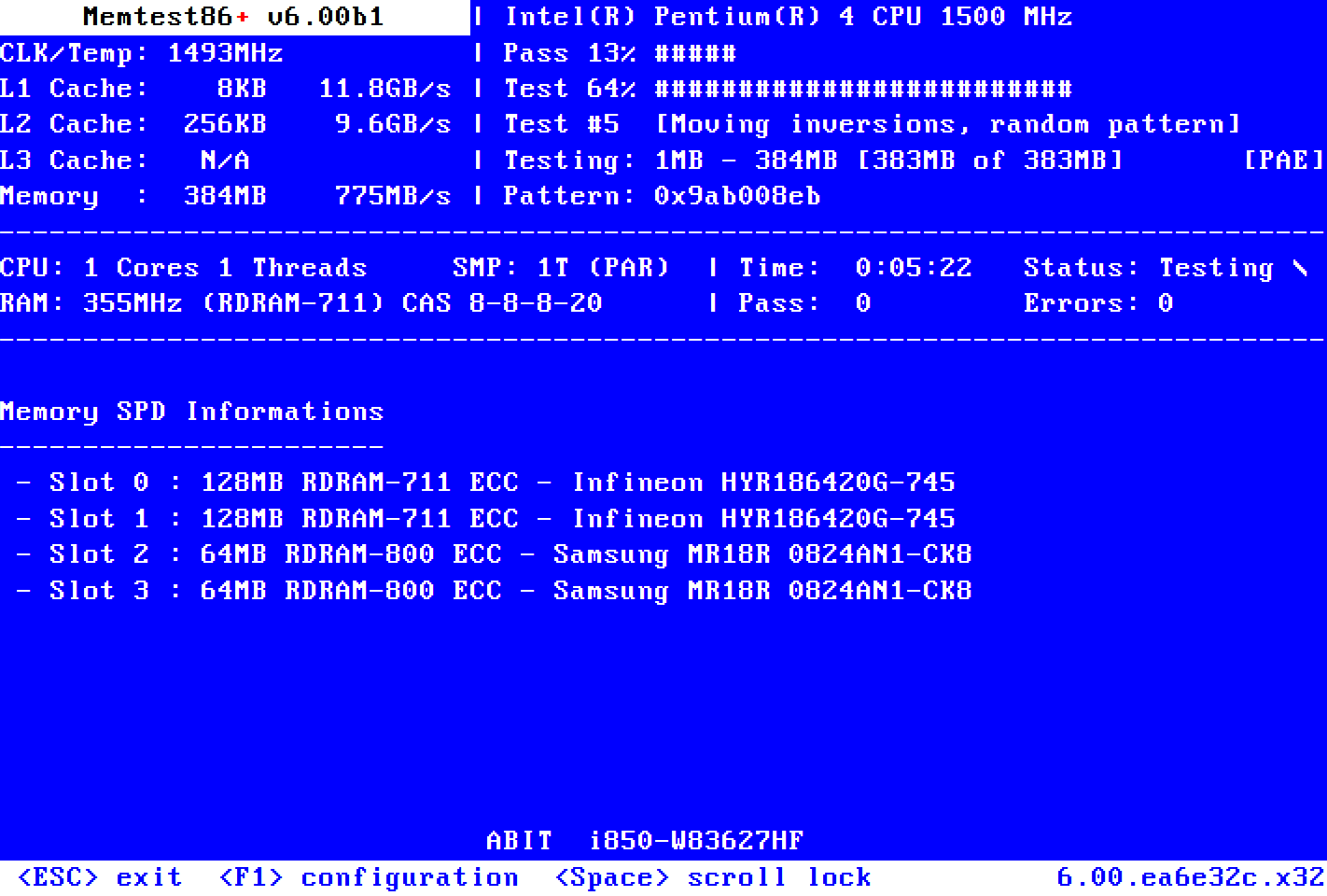
            See if you get any errors from memtest

            Memtest86+ is an advanced, free, open-source, stand-alone memory tester for 32- and 64-bit computers (UEFI & BIOS supported)

            Comment

            • Sniper1432
              Member
              • Jun 2006
              • 4616

              #21
              Re: New Machine, Insane Stutter (Dual Core Related ?)

              yeah its your ram upgrade it to 2 gigs and the stuttering shud stop if it happens as soon as u join a game thats a ram problem but if its all the time cud me something going on with your video card:laugh:

              Comment

              • Killuminati

                #22
                Re: New Machine, Insane Stutter (Dual Core Related ?)

                I do too, beleive its your RAM. Is your harddrive being accessed during the first 5 minutes of game play?

                I've got 2 gigs, with a dual core, i switched back to 1 gig becuase i was messing about trying to also fix my stutter. When i did, the first 5 minutes, was constant stutter, my harddrive was being access constantly, without hope of it stopping. But it eventually did. When i went and checked how much ram is being used, it was 100%, no more room.

                Trust me, this game needs lots of ram, when i have my 2 gigs in, my computer shows 60%-80% (depending on map) used, thats with all high settings. And absolute no Stutter in the beginning of the game.

                My problem is that the stuttering starts after 30-45mins of gameplay then gradually gets worse, its pissing me off.

                If your stuttering goes away after five minutes, then it is your ram. Try it with 2G's.

                Comment

                • CDN-SMOKEJUMPER

                  #23
                  Re: New Machine, Insane Stutter (Dual Core Related ?)

                  Originally posted by Og
                  Have done. v91.33, and the latest drivers for everything else (sound/chipsets etc). I remember i fixed my stutter on my last system but putting up the AGP Aperture size in the bios. Obviously PCI-e doesnt have this, but is there an alternative ?

                  I'm positive there is a performance decrease with the new drivers. I still run well but not as well as I did before the upgrade. Someone gave you advice, i'd try it and see if it helps.

                  I've pretty much the same set up as you and see no reason why you get stutter. I only get it during the first few minutes after a map change. Is that when you get your stutter? I notice my CPU light stays on longer after the new drivers after a map change too.

                  Comment

                  • mdspeed

                    #24
                    Re: New Machine, Insane Stutter (Dual Core Related ?)

                    Just a question here for myself:

                    I have a 4200 AMD
                    2 GIG Ram
                    7900 GT 256 MG EVGA video card
                    Xi-Fi sound card
                    2405 Dell Monitor (24 inch wide screen LCD)

                    I have it running at 1280x1024 with everything on high and 2x AA. Normally I get 40+ FPS but when the fight is right on top of me I drop to less than 15 fps. My question is with this kind of system should it be doing that and also if I added another 7900 GT video card would this improve performance at these settings.

                    Thanks!

                    Comment

                    • GbeTech

                      #25
                      Re: New Machine, Insane Stutter (Dual Core Related ?)

                      OK, first of all, before you login, press CTRL+ALT+DEL, rightclick on BF2, set affinity so only CPU 0 will work. I know it's pretty disappointing, but I use this trick too (4400+) and it doesn't affect my FPS, so don't worry.
                      Note: This does not replace the AMD Optimizer, You should keep it installed and use the trick i told you about.


                      And here are some useful tips from warlord2000ad's guide, not only to improve performance:


                      Problem - If you don't have a microphone, and your getting connection problems at the start of round
                      Cause - No Microphone
                      Fix - Will happen on servers with VOIP enabled. Turn off your VOIP, in BF2 Audio Options.

                      Problem - CD/DVD drive not recognising disc:
                      Cause - Mostly likely Nforce4
                      Fix - nforce IDE SW Driver issue, either clean Hard-Drive of nforce drivers, install new and select 'No' when prompted to install the IDE SW Driver or if you go into your device manager and click on IDE ATA/ATAPI CONTROLLER, most likely under here anyone with an NFORCE 1, 2, 3, 4 board will have Nvidia Nforce* ATA CONTROLLER - pick update driver and pick NO and pick Install from List then DON'T SEARCH and in the list you should see all the Nvidia items and STANDARD DUAL CHANNEL PCI IDE CONTROLLER. Choose STANDARD DUAL CHANNEL PCI IDE CONTROLLER and you should be good to go.


                      Problem - Increase ingame FPS past 100
                      Cause - BF2 coded limit
                      Fix - Press the ` key, (next to the 1 key, and above tab)
                      Type in renderer.drawfps to see your fps, (optional)
                      to unlock the FPS, type in game.lockFps 0
                      Note: if it doesn't affect your FPS, try typing 200 instead of 0. It worked for me.


                      Problem - Getting BF2 to work with All Seeing Eye
                      Cause - BF2 coded limit
                      Fix - Go to your ASE directory (default C:\Program Files\The All-Seeing Eye) and open up filters.txt. Search for "battlefield 2" and here's what you should have:

                      Code:
                      Battlefield 2

                      ServerType: GS
                      RegKey: HKEY_LOCAL_MACHINE\SOFTWARE\Electronic Arts\EA GAMES\Battlefield 2\INSTALLDIR
                      ExeName: BF2.EXE
                      JoinTemplate: {EXEPATH} +restart 1 +joinServer {ip} +port {port} [ +password "{PASSWORD}"]
                      HostTemplate: {EXEPATH} +restart 1 +hostServer 1

                      Now, change the JoinTemplate line to this:
                      Code:
                      JoinTemplate: {EXEPATH} +joinServer {ip} +port {port} +username yourusername +playerPassword yourpassword [ +password "{PASSWORD}"]

                      Note that what you did was remove the +restart 1 and added +username yourusername +playerPassword yourpassword, of course replacing yourusername and yourpassword with your, um, username and password.

                      Once you join a server through ASE, you will bypass the login menu for BF2 and the game might seem to freeze for a bit with the EA message. Just wait a few seconds and BF2 should start loading your new map!

                      Note : that a filters update in ASE will clear your modifications


                      Go to your BF2 Audio options, and disable VOIP. This can help in some cases.


                      If on a Wireless router try plugging it directly into the internet, to see if your lag is been cause by a bad router or interference

                      In BF2 Audio Options, try running software mode instead of hardware mode

                      Try updating PunkBuster, Use the program, pbsetup, found at this website to update Punkbuster


                      Change your BF2.exe file and rename it to BF.exe, or basically something different than BF2.exe (Update shortcuts if necessary) On some systems this can provide a performance increase as the graphic card will treat it as a normal game and not run any special optimizations which can actually reduce performance
                      *HASNT CHECKED THIS YET. SOUNDS SUSPICIOUS, I SUGGEST U WON'T TRY IT.


                      Reduce number of PunkBuster checks

                      To do this you need to:

                      1. OK, the first step is very simple, join any BF2 online server which is running Punkbuster, preferably a ranked one.
                      2. Once you are in, and re-spawned somewhere, press the ` key. This key is located on most keyboards above the tab key and to the left of the 1 key
                      3. Once you have pressed this, a large white box should drop down with a load of text in it. Type pb_sleep500 and hit the enter key
                      4. Once you have done this, make sure the box is still up and type pb_writecfg to save your settings

                      Also you can disable the Windows XP visuals to reduce ram/CPU usage, although Windows will look more like Windows 98 you may want to try it.
                      Right click on My Computer|Properties|Advanced|Performance|Settings for Best performance. This disables all the neat Windows XP looks and makes the PC that little bit faster.

                      and of course: You could try upgrading your internet to a faster speed, or connect to servers closer to your location.

                      Try typing 150 in the "ping" filter, *Enter*, and then refresh. It's much easier with ASE, BTW.

                      De-frag your Hard-Drive

                      Try cleaning out your shaders and cache, to do this, go to C:\Documents and Settings\username*\My Documents\Battlefield 2\mods\bf2 and delete the shaders,
                      next go to C:\Documents and Settings\username*\My Documents\Battlefield 2\LogoCache and delete the cache.
                      Try Battlefield 2 again to see if it is better, if not, move your battlefield 2 folder from my documents to your desktop, this put the game onto default settings, as well as cleaning out its cache and shaders again


                      or TweakGuides.com way: Clearing Shader Optimizations: When you change the graphical settings or install a new patch, BF2 attempts to optimize the shaders used in the game for the best performance on your particular hardware. These optimized files are stored in your \Documents and Settings\[username]\My Documents\Battlefield 2\mods\bf2\cache\ directory. If you've changed your settings several times, I recommend you finalize your changes, close BF2, go to the above directory and delete everything under the \cache\ directory. The next time you start the game and play single or multiplayer, your shaders will be optimized again. Close BF2 one more time, defragment your hard drive, and now things should be much smoother and load much faster the next time you go to play BF2.


                      Problem - Reduce the Number of Punkbuster Checks
                      Cause - n/a
                      Fix - Punkbuster, as you probably know, is the anti cheating software which comes bundled with BF2 and is required to play on all ranked servers and most public servers. Punkbuster scans your hard-drive for problems every 20 seconds. As you may have guessed, this causes a lot of lag. What we are going to do in this fix is to increase the amount of time in between punkbuster checks to 500 seconds (the maximum amount so don't try anything higher). By the way, in case you were worried, this is 100% safe with punkbuster, and will NOT cause any problems with Punkbuster thinking you are a cheater. Punkbuster even recommends this fix on their website.

                      To do this you need to:

                      1. Ok, the first step is very simple, join any BF2 online server which is running punkbuster, preferably a ranked one.
                      2. Once you are in, and respawned somewhere, press the ` key. This key is located on most keyboards above the tab key and to the left of the 1 key
                      3. Once you have pressed this, a large white box should drop down with a load of text in it. Type pb_sleep 500 and hit the enter key
                      4. Once you have done this, make sure the box is still up and type pb_writecfg to save your settings

                      I used most of those tricks, and seems to be great.

                      but while searching for other tricks, I read a guide in IGN that told me to download a software named TuneXP from D-Force. DONT DOWNLOAD / USE IT!!! NEVER EVER EVER!!!!
                      I got a "NTLDR is missing" bcuz i played with it a bit. You don't want to know what this message means. This is like the worse thing can happen to your machine. Windows even doesn't start, and cannot regocnize your HD. BAD. REAL BAD.
                      So an advice from me, and you should listen, is don't use any "tweaking" software. I hardly got out of that situation, thanks to my genius dad.

                      use adware to remove spyware, NOD32 for viruses.
                      And remember to close all availabe programs from the taskbar, including (especially) firewall and anti-viruses, and then use the Task Manager to close all other exe's except for taskmanger and explorer. REMEMBER to close only processes in USER category and not SYSTEM etc.
                      Just remember to activate the AV and FW again after quiting BF2!

                      use this guide: http://majorgeeks.com/page.php?id=12
                      and this: http://www.tweakguides.com/BF2_1.html
                      and this is warlords: http://forum.eagames.co.uk/viewtopic.php?t=26653


                      Hope it helped! I just copy-pasted some things :laugh:

                      Comment

                      • Ogs

                        #26
                        Re: New Machine, Insane Stutter (Dual Core Related ?)

                        Thanks for the replies guys. Yeah that screenshot was taken during gameplay. While im playing, the HDD LED is constantly flashing away, which in a way explains the stutter. Would i be right in saying that its running out of RAM and using the page file (causing the HDD to flash away meaning stutter) ?

                        At the moment im a bit screwed for cash so il just have to lower the settings (Ibiza's not cheap :)). Same goes for sound card, i wouldnt mind upgrading, but cash is tight.

                        Il keep up with the EA support tickets and see if they go anywhere, but il just assume il need that 2 Gb of ram. Thanks for the help you lot its appreciated (If i get 2Gb of ram and still get stutter, il be right on your backs :P).

                        But it does make you think, how the hell do they get away with system requirements as low as 512 Ram.........

                        Comment

                        • Killuminati

                          #27
                          Re: New Machine, Insane Stutter (Dual Core Related ?)

                          Originally posted by Og
                          Thanks for the replies guys. Yeah that screenshot was taken during gameplay. While im playing, the HDD LED is constantly flashing away, which in a way explains the stutter. Would i be right in saying that its running out of RAM and using the page file (causing the HDD to flash away meaning stutter) ?
                          Yes. Alt-Tab when this is happening, open task manager, and see how much ram is used up.


                          Originally posted by Og
                          But it does make you think, how the hell do they get away with system requirements as low as 512 Ram.........
                          Probably with medium to low settings.

                          Comment

                          • sharpshooter_019

                            #28
                            Re: New Machine, Insane Stutter (Dual Core Related ?)

                            I dont know about the RAM, I ran BF2 on medium textures and everything else full with 1gb of PC3200 RAM, 256 mb GF7600GT and a 2.8Ghz P4. Almost no stuttering. Now with my Core 2 Duo E6700, GF7600gt and 1gb of PC6400 ram i get quite a bit of stuttering.

                            Comment

                            • Batausu

                              #29
                              Re: New Machine, Insane Stutter (Dual Core Related ?)

                              Get more RAM. I have no stutter at all and my machine is lower then yours.

                              Comment

                              • sharpshooter_019

                                #30
                                Re: New Machine, Insane Stutter (Dual Core Related ?)

                                Right, ive just been fiddling with my settings, and I find that if you decrease the lighting, and dynamic shadows to medium there is absolutely no stutter whatsoever. However me being a fool based my rpevious comment on last nights first attempt at BF2 after my new CPU, Mobo, RAM, HDD were installed and I had a program installing and a virus scan running. I just tried it again now, and with everything on full, with 1GB of RAM i only get a slight amount of stutter at the start of the map, it dies out after that. And yes, I need more RAM.

                                Comment

                                Working...