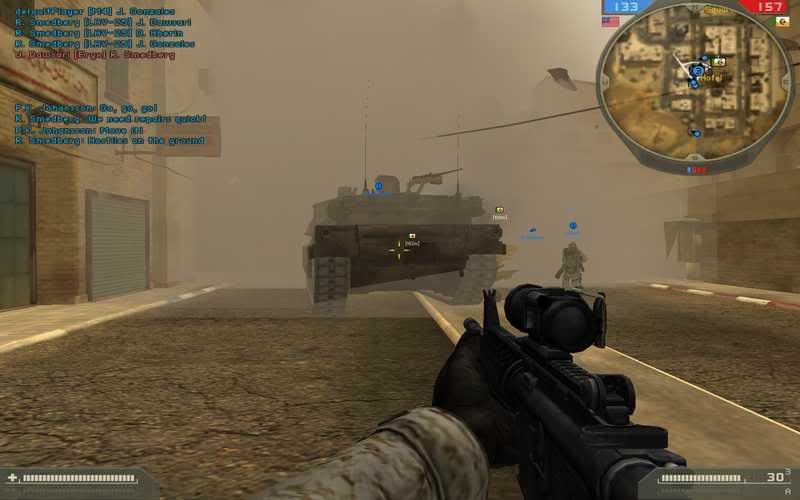
BF2 in widescreen, Guide Here!

Collapse
X
 
  • Time
  • Show
Clear All
new posts
  • yobbo89

    #151
    Re: BF2 in widescreen, Guide Here!

    dose not work!.... the end

    Comment

    • VagueRant

      #152
      Re: BF2 in widescreen, Guide Here!

      Used

      +menu 1 +fullscreen 1 +szx 1680 +szy 1050 +restart 1

      View was fine but mouse went crazy, delayed impossible to control, after joining game multi and single. Mouse was fine before in map. But after clicking join game theres a delay then the mouse trailing.

      Anyone able to help a brother out

      Fixed mouse issue for singleplayer by removing bf2 from "My Documents", but crashes before going into multiplayer now.

      Fixed did a full reinstall

      Comment

      • Komrade Pedrovsk
        Member
        • Oct 2006
        • 8

        #153
        You guys may want to try this widescreen utility:

        - http://www.widescreengamingforum.com...8ef13462ead64a

        It fixes the cuting off of the top and bottom issue.

        You still need to add the +fullscreen 1 +szx 1440 +szy 900 (or whichever widescreen resolution you use) line to shortcut target.

        Comment

        • Rex247365

          #154
          This won't work for me no matter what I try. The game didn't even start until I took off the +szx 1400 +szy 900. My computer just does not like that command and crashes. I even reinstalled the game. Might this be because I only have a Plug and Play driver for my monitor? I have a gateway FPD1975W and they don't make a driver for it. >_>;;

          Comment

          • Sike
            Member
            • Jun 2006
            • 1742

            #155
            i cant get mine to run at 1600x1050, it opens goes black, then back to desktop.

            ive done both what u said and didnt work

            Comment

            • Golt

              #156
              Thanks alot!

              Comment

              • Canadianguy

                #157
                I finally got this to run in full screen.Just want to know if I have this right,reason i'm asking is because i have no black bars at top,bottom and sides.

                -Using nividia scale keep aspect ratio.
                -1680x1050 res
                - video con file is 800x600@60hz
                -settings in game are 800x600@60hz

                Just wonderd why no black bars?

                Screen Shot


                Does this look widescreen or just stretched.looks fine to me?

                Need Opinions

                Thanks

                Comment

                • friguy0

                  #158
                  wow thanks alot! every things looks way better ty

                  Comment

                  • The Laughing Man
                    Member
                    • Jul 2007
                    • 256

                    #159
                    Now I get to join the folk that are / where having issues with widescreen support. Just got hold of an Acer 22' monitor with a native res of 1680 x 1050. Followed the instructions at the start of this topic which didn't work, then tried combinations of the instructions which got me as far as the log in screen but CTD'd the second it completed log in.

                    Soluton turned out to be placing 'ren' not just at the start of

                    C:\Documents and Settings\Jono\My Documents\Battlefield 2\Profiles\Default\Video.com

                    but there is also a version of Video.com inside the folder entitled 0001

                    Placing 'ren' in both the video.con files in both those locations and then using the command line res force prompt finally got the game running. The confusing thing is shouldn't the game still work if I put 1680x1050@60Hz in BOTH these files? I tried that and it would just CTD seconds after double clicking the .exe

                    Well issue seems to be solved, I only spent a couple of seconds in a server just to test it actually got that far, will go away and play now and report back later.

                    Comment

                    • ThefT
                      Member
                      • Jun 2006
                      • 180

                      #160
                      Re: BF2 in widescreen, Guide Here!

                      Alright, nice guide...just want to make sure im doing it right.

                      1) I have a shortcut for BF2 on my desktop.
                      2) This is my 'target line'
                      [PHP]"C:\Program Files\EA GAMES\Battlefield 2\BF2.exe" +menu 1 +fullscreen 1 +szx 1440 +szy 900[/PHP]
                      3) Now when I go to video options, mine is set to 800x600, but in game it clearly isn't, so there is nothing you have to do special after you add that command line?

                      Cause mine looks great, just making sure I did it right.

                      Comment

                      • signa
                        CS-Nation / TGN Staff
                        • Dec 2004
                        • 4191

                        #161
                        Re: BF2 in widescreen, Guide Here!

                        If its working then there is nothing else you have to do. :)
                        "Crunch's First Officer"
                        twitter: @signaprime

                        Comment

                        • ThefT
                          Member
                          • Jun 2006
                          • 180

                          #162
                          Re: BF2 in widescreen, Guide Here!

                          true that mann.

                          i still dont understand why they dont come out with a patch for widescreen resolutions.

                          Comment

                          • FPS[SONIC]
                            Member
                            • Oct 2006
                            • 2106

                            #163
                            Re: BF2 in widescreen, Guide Here!

                            Because EA's official stance is that widescreen resolutions give an advantage to those users at the expense of 4:3 users. I don't agree, but that's why there is no official support.

                            Comment

                            • clementsjd1

                              #164
                              Re: BF2 in widescreen, Guide Here!

                              Originally posted by SonicPixel
                              Because EA's official stance is that widescreen resolutions give an advantage to those users at the expense of 4:3 users. I don't agree, but that's why there is no official support.
                              That is so lame.. Put a dampner on gaming for the rich, because the poor, cannot afford to buy a wide screen monitor.. I am not saying I am rich cuz I am not, just fell into a nice 24" wide screen monitor.. By HP. But we really need WS support. EA needs to get their S*** together and give it up.

                              Comment

                              • Natt
                                Member
                                • Oct 2006
                                • 593

                                #165
                                Re: BF2 in widescreen, Guide Here!

                                BF2142 got widescreen in the last patch, so it might be on the cards.

                                Comment

                                Working...