
anyone gain any performance by setting the affinity for bf2 on a different core then the normal factory settings? anyway i can up the performance of my computer or anything...any tweaks..lemme know
-
-
Re: experienced AMD Dual core users
Some dual core users have experienced small pauses or stuttering. After setting affinity of bf2.exe to one core only, this goes away.Originally posted by justblazin
There are several ways to set the affinity.- In task manager
- With imagecfg.exe, which permanently changes the bf2.exe to use only one core, and thus not a good idea.
- Process.exe from beyoundlogic, which can change affinity after process is running. Similar to changing in task manager, but can be used in conjuction with .bat file so it changes affinity when game is started, example here: http://www.totalbf2.com/forums/showp...1&postcount=14
- and other utils too..
-
Re: experienced AMD Dual core users
thanks alot man..thanks for the speedy response..im going to try this when i get homeComment
-
Re: experienced AMD Dual core users
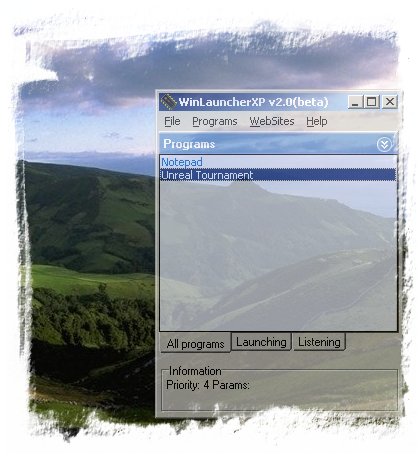
i use winlauncherXP to start my games and use my preset affinity of 1 core.Comment
-
Re: experienced AMD Dual core users
where can i get winlauncher? or is it a built in program with xp?Comment
-
Re: experienced AMD Dual core users
*cough*Google*cough*
Comment
-
Re: experienced AMD Dual core users
You can overclock 3800's easy and they go up a long way too.Comment
-
Re: experienced AMD Dual core users
and how is this relevant?Originally posted by UNDIESRULESComment
-
Re: experienced AMD Dual core users
i could never get mine above 2.3 ghz without it crashing...but i never went in the bios n changed anything...just using clockgen and then testing it with prime95..dont know to much about OCing..but thanks for the linkComment

Comment