
 Stand Alone Server
I am trying to host a game on the BF2 stand alone server. I am behind a Linksys router. I have opened a port 16567. Still my fellow clan member still can not join. Is there something else I need to do? Any help is appreciated, Thanks
-
-
Re: Stand Alone Server
This from the readme.txt:
Hosting a Battlefield 2 Server
In order to host a Battlefield 2 server, you must have the following ports open in your firewall.
Server Ports:
UDP 27900
UDP/TCP 29900
TCP 80
TCP 4711
UDP 27901
UDP 1500-4999
UDP/TCP 1024-1124
UDP 29900
UDP/TCP 27900
UDP 16567
UDP 55123-55125 -
Re: Stand Alone Server
Do I pick and choose which one to use? Or do I have to open ALL these? How do I know which one? If not, I see the UDP port 16567 in that list which is already open, Said that in my first post. If I do have to open ALL of em I do not have enough slots in my router settings to do so.Comment
-
Re: Stand Alone Server
All of the are required. Do Port Triggering to the severs internal IP. It should work.Comment
-
Re: Stand Alone Server
Thanks for your all feed back. Sorry but what is Port Triggering? How do I do it?Comment
-
Re: Stand Alone Server
Take a look here:Originally posted by SoupyBlister
There is a section on triggering, click it and find your router and then find BF2 configuration.
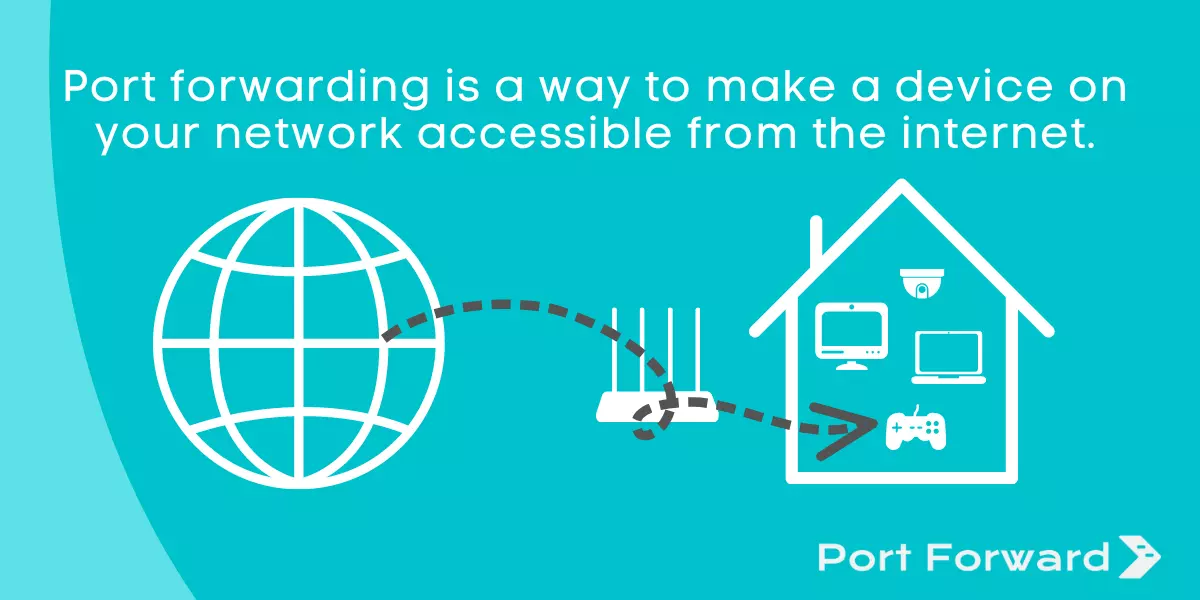
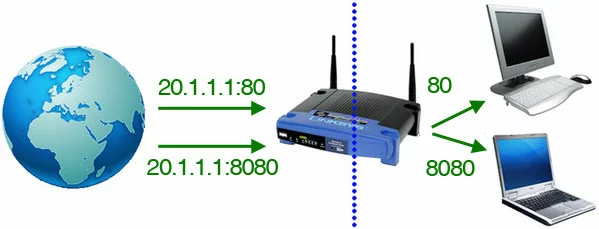
What is port forwarding:
What is port triggering:
If you are ever in doubt about what anything means, then do a search on wikipedia.org. It has information on everthing, try it out it is a great starting point if you need info.
E.g. here is on port triggering:
Comment
-
Re: Stand Alone Server
THANK YOU SOOO MUCH!!!! That web site helped me out. Did what it said. Now I shall test it tonight. Agian thank you for your help :)Comment
-
Re: Stand Alone Server
Well crap guys, It still didn't work. I followed the instructions to the T. Made a static IP, and all. I also went to every computer on our Network to change the IP address. Still they could not connect. I even enabled the DMZ in my router. Still that did not work. WTF. I am at lost.Comment
-
Re: Stand Alone Server
I belive the standalone server is a local server because i tried it today gave it a simple name and looked thru the internet list for it wen i did not find it i looked in the local section and found it and connected to it it no problemComment
-
Re: Stand Alone Server
I can have them try that. I have no problems connecting to the server. My clan mates connect to my by join IP. I will try what you suggested thoughComment

Comment