
Hi,
I'm pretty frustrated at this point and need some good technical help.
I've downloaded the bf2_server_103.exe and installed it.
I've edited the ServerSettings.con file as follows:
sv.serverName "Silver Dragon Dual Core AMD64 4800+"
sv.password ""
sv.internet 1
sv.serverIP ""
sv.serverPort 16567
sv.welcomeMessage "Wlcome to the SilverDragon Dual Core AMD64 4800+ BF2 Server"
sv.punkBuster 1
sv.allowFreeCam 1
sv.allowExternalViews 1
sv.allowNoseCam 1
sv.hitIndicator 1
sv.maxPlayers 64
sv.numPlayersNeededToStart 2
sv.notEnoughPlayersRestartDelay 15
sv.startDelay 10
sv.endDelay 15
sv.spawnTime 10
sv.manDownTime 15
sv.endOfRoundDelay 15
sv.ticketRatio 100
sv.roundsPerMap 3
sv.timeLimit 0
sv.scoreLimit 0
sv.soldierFriendlyFire 100
sv.vehicleFriendlyFire 100
sv.soldierSplashFriendlyFire 100
sv.vehicleSplashFriendlyFire 100
sv.tkPunishEnabled 0
sv.tkNumPunishToKick 3
sv.tkPunishByDefault 0
sv.votingEnabled 1
sv.voteTime 90
sv.minPlayersForVoting 2
sv.gameSpyPort 29900
sv.allowNATNegotiation 1
sv.interfaceIP ""
sv.autoRecord 0
sv.demoIndexURL http://
sv.demoDownloadURL http://
sv.autoDemoHook "adminutils/demo/rotate_demo.exe"
sv.demoQuality 1
sv.adminScript "default"
sv.timeBeforeRestartMap 30
sv.autoBalanceTeam 0
sv.teamRatioPercent 100
sv.voipEnabled 1
sv.voipQuality 3
sv.voipServerRemote 0
sv.voipServerRemoteIP ""
sv.voipServerPort 55125
sv.voipBFClientPort 55123
sv.voipBFServerPort 55124
sv.voipSharedPassword ""
sv.useGlobalRank 1
sv.useGlobalUnlocks 1
sv.sponsorText ""
sv.sponsorLogoURL ""
sv.communityLogoURL ""
sv.radioSpamInterval 6
sv.radioMaxSpamFlagCount 6
sv.radioBlockedDurationTime 30
I'm behind a netgear router which has a stupid built-in firewall. I've made the following firewall rules:
# Enable Service Name Action LAN Server IP address WAN Users Log
1 27900~29900 ALLOW always192.168.10.3AnyAlways UDP
2 2812-4999 ALLOW always192.168.10.3AnyAlways UDP
3 4711 ALLOW always192.168.10.3AnyAlways TCP
4 6500 ALLOW always192.168.10.3AnyAlways TCP/UDP
5 6515 ALLOW always192.168.10.3AnyAlways UDP
6 13139 ALLOW always192.168.10.3AnyAlways UDP
7 28910~29901 ALLOW always192.168.10.3AnyAlways TCP
8 16567~16567 ALLOW always192.168.10.3AnyAlways UDP
9 55123-55125 ALLOW always192.168.10.3AnyAlways UDP
10 1024-1124 ALLOW always192.168.10.3AnyAlways TCP/UDP
(I have "allow" "any" "any" configured for outbound traffic)
I believe these are all the ports in all the newsgroups that I've been able to find.
My netgear router sits behind a dsl modem, I have the DSL modem configured to give the external IP to the router external interface so:
Router
External Interface: 69.226.245.70
Internal Interface: 192.168.10.1
My PC Interface: 192.168.10.3
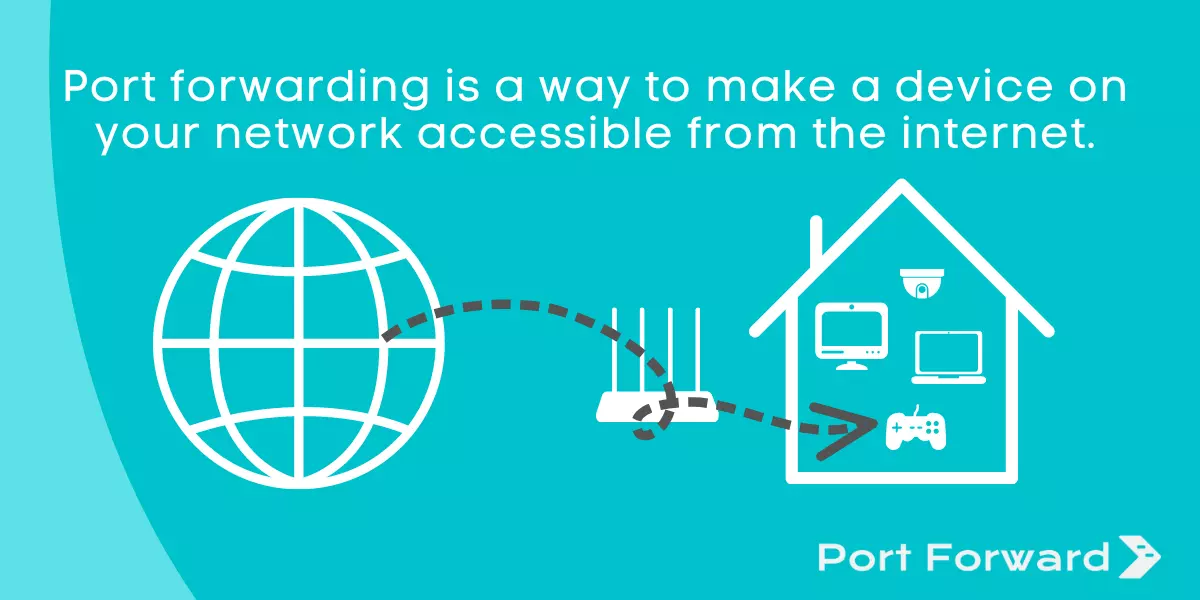
I'm forwarding all those packets from the router external interface to my internal pc interface and still can't get the server to work
I can get it to show up in the Server Lists, but whenever I select Join it says there is a connection problem. My router never show any dropped packets either:
Sample Log Output:
Tue, 2005-10-18 17:51:32 - UDP packet - Source:192.168.10.3,29900 ,LAN - Destination:207.38.11.34,27900 ,WAN [Forward] - [Outbound Default rule match]
Tue, 2005-10-18 17:51:32 - UDP packet - Source:207.38.8.28,1081 ,WAN - Destination:69.226.245.70,29900 ,LAN [Forward] - [Inbound Rule(1) match]
Tue, 2005-10-18 17:51:38 - UDP packet - Source:213.202.240.118,32769 ,WAN - Destination:69.226.245.70,29900 ,LAN [Forward] - [Inbound Rule(1) match]
Tue, 2005-10-18 17:52:29 - UDP packet - Source:24.181.199.94,1297 ,WAN - Destination:69.226.245.70,29900 ,LAN [Forward] - [Inbound Rule(1) match]
Tue, 2005-10-18 17:52:30 - UDP packet - Source:64.81.116.241,63939 ,WAN - Destination:69.226.245.70,29900 ,LAN [Forward] - [Inbound Rule(1) match]
Tue, 2005-10-18 17:52:31 - UDP packet - Source:69.91.115.117,32908 ,WAN - Destination:69.226.245.70,29900 ,LAN [Forward] - [Inbound Rule(1) match]
Tue, 2005-10-18 17:52:33 - UDP packet - Source:209.216.233.210,34557 ,WAN - Destination:69.226.245.70,29900 ,LAN [Forward] - [Inbound Rule(1) match]
Tue, 2005-10-18 17:52:38 - UDP packet - Source:69.247.88.14,33221 ,WAN - Destination:69.226.245.70,29900 ,LAN [Forward] - [Inbound Rule(1) match]
I am stumped and any help would be appreciated!
Thanks,
--Frustrated
I'm pretty frustrated at this point and need some good technical help.
I've downloaded the bf2_server_103.exe and installed it.
I've edited the ServerSettings.con file as follows:
sv.serverName "Silver Dragon Dual Core AMD64 4800+"
sv.password ""
sv.internet 1
sv.serverIP ""
sv.serverPort 16567
sv.welcomeMessage "Wlcome to the SilverDragon Dual Core AMD64 4800+ BF2 Server"
sv.punkBuster 1
sv.allowFreeCam 1
sv.allowExternalViews 1
sv.allowNoseCam 1
sv.hitIndicator 1
sv.maxPlayers 64
sv.numPlayersNeededToStart 2
sv.notEnoughPlayersRestartDelay 15
sv.startDelay 10
sv.endDelay 15
sv.spawnTime 10
sv.manDownTime 15
sv.endOfRoundDelay 15
sv.ticketRatio 100
sv.roundsPerMap 3
sv.timeLimit 0
sv.scoreLimit 0
sv.soldierFriendlyFire 100
sv.vehicleFriendlyFire 100
sv.soldierSplashFriendlyFire 100
sv.vehicleSplashFriendlyFire 100
sv.tkPunishEnabled 0
sv.tkNumPunishToKick 3
sv.tkPunishByDefault 0
sv.votingEnabled 1
sv.voteTime 90
sv.minPlayersForVoting 2
sv.gameSpyPort 29900
sv.allowNATNegotiation 1
sv.interfaceIP ""
sv.autoRecord 0
sv.demoIndexURL http://
sv.demoDownloadURL http://
sv.autoDemoHook "adminutils/demo/rotate_demo.exe"
sv.demoQuality 1
sv.adminScript "default"
sv.timeBeforeRestartMap 30
sv.autoBalanceTeam 0
sv.teamRatioPercent 100
sv.voipEnabled 1
sv.voipQuality 3
sv.voipServerRemote 0
sv.voipServerRemoteIP ""
sv.voipServerPort 55125
sv.voipBFClientPort 55123
sv.voipBFServerPort 55124
sv.voipSharedPassword ""
sv.useGlobalRank 1
sv.useGlobalUnlocks 1
sv.sponsorText ""
sv.sponsorLogoURL ""
sv.communityLogoURL ""
sv.radioSpamInterval 6
sv.radioMaxSpamFlagCount 6
sv.radioBlockedDurationTime 30
I'm behind a netgear router which has a stupid built-in firewall. I've made the following firewall rules:
# Enable Service Name Action LAN Server IP address WAN Users Log
1 27900~29900 ALLOW always192.168.10.3AnyAlways UDP
2 2812-4999 ALLOW always192.168.10.3AnyAlways UDP
3 4711 ALLOW always192.168.10.3AnyAlways TCP
4 6500 ALLOW always192.168.10.3AnyAlways TCP/UDP
5 6515 ALLOW always192.168.10.3AnyAlways UDP
6 13139 ALLOW always192.168.10.3AnyAlways UDP
7 28910~29901 ALLOW always192.168.10.3AnyAlways TCP
8 16567~16567 ALLOW always192.168.10.3AnyAlways UDP
9 55123-55125 ALLOW always192.168.10.3AnyAlways UDP
10 1024-1124 ALLOW always192.168.10.3AnyAlways TCP/UDP
(I have "allow" "any" "any" configured for outbound traffic)
I believe these are all the ports in all the newsgroups that I've been able to find.
My netgear router sits behind a dsl modem, I have the DSL modem configured to give the external IP to the router external interface so:
Router
External Interface: 69.226.245.70
Internal Interface: 192.168.10.1
My PC Interface: 192.168.10.3
I'm forwarding all those packets from the router external interface to my internal pc interface and still can't get the server to work
I can get it to show up in the Server Lists, but whenever I select Join it says there is a connection problem. My router never show any dropped packets either:
Sample Log Output:
Tue, 2005-10-18 17:51:32 - UDP packet - Source:192.168.10.3,29900 ,LAN - Destination:207.38.11.34,27900 ,WAN [Forward] - [Outbound Default rule match]
Tue, 2005-10-18 17:51:32 - UDP packet - Source:207.38.8.28,1081 ,WAN - Destination:69.226.245.70,29900 ,LAN [Forward] - [Inbound Rule(1) match]
Tue, 2005-10-18 17:51:38 - UDP packet - Source:213.202.240.118,32769 ,WAN - Destination:69.226.245.70,29900 ,LAN [Forward] - [Inbound Rule(1) match]
Tue, 2005-10-18 17:52:29 - UDP packet - Source:24.181.199.94,1297 ,WAN - Destination:69.226.245.70,29900 ,LAN [Forward] - [Inbound Rule(1) match]
Tue, 2005-10-18 17:52:30 - UDP packet - Source:64.81.116.241,63939 ,WAN - Destination:69.226.245.70,29900 ,LAN [Forward] - [Inbound Rule(1) match]
Tue, 2005-10-18 17:52:31 - UDP packet - Source:69.91.115.117,32908 ,WAN - Destination:69.226.245.70,29900 ,LAN [Forward] - [Inbound Rule(1) match]
Tue, 2005-10-18 17:52:33 - UDP packet - Source:209.216.233.210,34557 ,WAN - Destination:69.226.245.70,29900 ,LAN [Forward] - [Inbound Rule(1) match]
Tue, 2005-10-18 17:52:38 - UDP packet - Source:69.247.88.14,33221 ,WAN - Destination:69.226.245.70,29900 ,LAN [Forward] - [Inbound Rule(1) match]
I am stumped
and any help would be appreciated!Thanks,
--Frustrated
Comment