Game CTDs

Collapse
X
 
  • Time
  • Show
Clear All
new posts
  • imported_GliTCH

    #1

    Game CTDs

    I keep getting CTDs and I've tried everything. One thing I noticed is that whenever the game randomly quits I always get this in my event viewer in Windows XP:

    The description for Event ID ( 0 ) in Source ( ) cannot be found. The local computer may not have the necessary registry information or message DLL files to display messages from a remote computer. You may be able to use the /AUXSOURCE= flag to retrieve this description; see Help and Support for details. The following information is part of the event: 7.


    Does anyone have a clue what this means?
  • NoSoup4You

    #2
    Re: Game CTDs

    I think it means you should buy the game instead of trying to run a hacked version?

    Comment

    • imported_GliTCH

      #3
      Re: Game CTDs

      I did buy the game by the way, but anyways I figured out the problem. My ram timings were a little too aggressive, I just set them to Auto (not SPD) in the BIOS and the game runs great. Hats off to Abit for that feature.


      But hey, don't feel bad..


      :)

      Comment

      • maforduk

        #4
        Re: Game CTDs

        Silly question here...how do you find out the RAM timings?
        If it's in BIOS...I don't have a feature that finds it...I have a lonely DELL PC!

        Comment

        • Blak_Phoenix

          #5
          Re: Game CTDs

          I use Everest, it tells the timins.. but i don tknow how to change them as my BIOS doesnt say them either...

          Comment

          • imported_GliTCH

            #6
            Re: Game CTDs

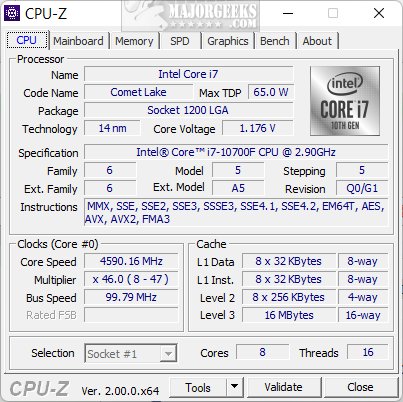
            CPU-Z will let you see your timings, you can download that here:

            CPU-Z quickly collects information about some of the main devices of your system. CPU-Z collects and displays multiple useful details about your machine's CPU, Mainboard, and Memory.


            By the way, if you can't change your timings from the BIOS there's a utility called WPCREDIT that will let you set your timings but it's not for the faint-hearted. Good news is WPCREDIT is only temporary so if you mess up your system you can just restart, to save the changes you make in WPCREDIT permanently you can use WPRCSET.

            Of course this kinda goes without saying but make sure you download and install the latest Dell BIOS update for your PC.

            Comment

            • imported_GliTCH

              #7
              Re: Game CTDs

              The RAM timings in CPU-Z you can find in the RAM tab.

              Before I set my timings to auto, they were much more aggressive... more aggressive timings will mean smaller numbers (the numbers represent a delay in the time it takes your RAM to do certain functions).

              The only exception to this rule is the frequency setting, which when set higher increases the transfer rate to your RAM. My RAM right now is set at ~DDR333 instead of the DDR400 speed it's rated at. DDR = double data rate, or 168.3 x 2 = 336.6.

              650) {this.width=650;this.alt='Click here to see a large version';}" onmouseover="if(this.alt) this.style.cursor='hand';" onclick="if(this.alt) window.open('http://phase1.bz/stuff/ram.gif');" border="0">

              Comment

              • Blak_Phoenix

                #8
                Re: Game CTDs

                So with CPU-Z you can change the timings as well as see them... ?


                Niice.. ive been wondering how to d this for a while now.

                Comment

                • imported_GliTCH

                  #9
                  Re: Game CTDs

                  Negative. CPU-Z will only display your RAM timings, it will NOT let you change them. For that you have a couple of options. BIOS, or WPCREDIT/WPCRSET. The whole CPU-Z info was actually posted in reply to the other guy's question about how to see his RAM timings so sorry if I kinda misled you.

                  Comment

                  • Blak_Phoenix

                    #10
                    Re: Game CTDs

                    okies.. thx

                    Comment

                    • gerila7

                      #11
                      Re: Game CTDs

                      My story of CTD
                      I use a battle recorder.. render the demo to avi file (downloaded from planetbattlefield-demo.cmd) & happily views the movie..... and after that BF2 will CTD whenever I tried to load a map even in singleplayer... i.e it can lauch..select account.select the map..set time,player etc etc... press start... then CTD.... i've tried to search all over this forum for this kind of CTD... can ne 1 help me?

                      before that avi rendering my BF2 works fine

                      What i've tried
                      -complete uninstal & reeinstal
                      -manual uninstal & reinstal
                      -reeinstal my 3dc driver - catalyst 5.5
                      -update my 3dc driver - catalyst 5.9
                      -run my BF2 at lowest possible setting & default setting
                      but to no avail....

                      Got a score of 5560 on 3DMArk03 before & after this incident

                      i use ATi radeon 9800 Pro 128Mb (256b)
                      P4 2.6G
                      512DDR PC300

                      Comment

                      • Blak_Phoenix

                        #12
                        Re: Game CTDs

                        Hrmm.. I don't know, I did have this problem, but an uninstall and a re-install of te game fixed it for me.

                        Comment

                        • ledbythereaper

                          #13
                          Re: Game CTDs

                          Yeh, abit mobos are great, auto overclocking, ram timings, auto, optomised, agressive, turbo heh, mine are on 2,2,3,8

                          Comment

                          • Blak_Phoenix

                            #14
                            Re: Game CTDs

                            My RAM timings areso bad 3.3.3.8

                            How do i make them better, and how much better do you think i will be able to get them...

                            Memory Module Properties:
                            Module Name Kingston K
                            Serial Number 63322162h
                            Manufacture Date Week 25 / 2005
                            Module Size 1024 MB (2 ranks, 4 banks)
                            Module Type Unbuffered
                            Memory Type DDR SDRAM
                            Memory Speed PC3200 (200 MHz)
                            Module Width 64 bit
                            Module Voltage SSTL 2.5
                            Error Detection Method None
                            Refresh Rate Reduced (7.8 us), Self-Refresh

                            Memory Timings:
                            @ 200 MHz 3.0-3-3-8 (CL-RCD-RP-RAS)

                            Is there any other info you need?

                            Comment

                            • ledbythereaper

                              #15
                              Re: Game CTDs

                              Just up the memory voltage then slowly lower the timings, but leave at 8 at 8, you should aim for my timings.

                              Comment

                              Working...