Official High-Res Screenshots!

Collapse
X
 
  • Time
  • Show
Clear All
new posts
  • b` m3ow

    #1

    Official High-Res Screenshots!

    Made this for all the Widescreen people! Also, Hi-Quality images! For wallpapers, or just for fun.

    Need a good upload host? For OUR Widescreen photos? Link;
    http://www.picoodle.com/

    OR THIS
    http://allyoucanupload.webshots.com/


    Not true widescreen upload site, i cant find any. But it works.

    I start with my two, maxed settings.. and a nice secret to make them even nicer! ()


    Click them
  • StoneCold313
    Member
    • Jul 2007
    • 2198

    #2
    What do u use to display fps in the corner...

    I have all kindz of info there, and i would like to see fps only...

    Comment

    • The_Eliminator
      Senior Member
      • Aug 2006
      • 5486

      #3
      I think thats the upgraded version of fraps.

      Comment

      • StoneCold313
        Member
        • Jul 2007
        • 2198

        #4
        I got fraps and it ain't like that...

        Maybe it's Xfire..

        Comment

        • Sniper1432
          Member
          • Jun 2006
          • 4616

          #5
          nice I will post some up later

          Comment

          • b` m3ow

            #6
            Originally posted by StoneCold313
            I got fraps and it ain't like that...

            Maybe it's Xfire..
            It's Xfire, press Scroll Lock + X. Then you should see a FPS box, tick the box, and it will lock in place. :)

            If anyone has found a image site for true widescreen, post it :) Lets see those images soldiers!:salute:

            Comment

            • Sniper1432
              Member
              • Jun 2006
              • 4616

              #7
              doesn't imageshack.us show full resolutions? try that

              Comment

              • b` m3ow

                #8
                Heres another, from Allyoucanupload.webshots.com (link in 1st post)


                CLICK

                Comment

                • StoneCold313
                  Member
                  • Jul 2007
                  • 2198

                  #9
                  Originally posted by m3ow
                  It's Xfire, press Scroll Lock + X. Then you should see a FPS box, tick the box, and it will lock in place. :)

                  If anyone has found a image site for true widescreen, post it :) Lets see those images soldiers!:salute:
                  Ok thanks...

                  What was that no hud command? Maybe i can post some pics later...

                  Comment

                  • Kodakk
                    Member
                    • Oct 2006
                    • 3486

                    #10
                    Nice picks m3ow, you run all high?

                    Comment

                    • b` m3ow

                      #11
                      Originally posted by StoneCold313
                      Ok thanks...

                      What was that no hud command? Maybe i can post some pics later...
                      I dont know of any "no hud" commands, that was just hardcore..

                      Aerialz, All high. Well, no 4x AA.. only 2.

                      For some odd reason, even with my 8800GTX and Quad Core, I get 25 FPS in a scope on Overgrown. So i just make it 2x.

                      Comment

                      • StoneCold313
                        Member
                        • Jul 2007
                        • 2198

                        #12
                        ^^

                        There was command to remove hud. It was here somewhere around the time when the demo came out...

                        But those pics might take a while, since i got my ps3 today... And i need to test it out..

                        Comment

                        • Iwantcable
                          Member
                          • Jul 2007
                          • 2362

                          #13
                          Originally posted by StoneCold313
                          ^^

                          There was command to remove hud. It was here somewhere around the time when the demo came out...

                          But those pics might take a while, since i got my ps3 today... And i need to test it out..
                          That was "/cg_drawHUD 0" but I don't think it works in the full version.

                          Comment

                          • StoneCold313
                            Member
                            • Jul 2007
                            • 2198

                            #14
                            Allright..
                            I guess that i need to play hardcore to get some good pics.
                            [offtopic]im typing this with my ps3, and it ain't as easy as i tought [/offtopic]

                            Comment

                            • Vreki
                              Senior Member
                              • Oct 2007
                              • 4226

                              #15
                              Originally posted by StoneCold313
                              Allright..
                              I guess that i need to play hardcore to get some good pics.
                              [offtopic]im typing this with my ps3, and it ain't as easy as i tought [/offtopic]
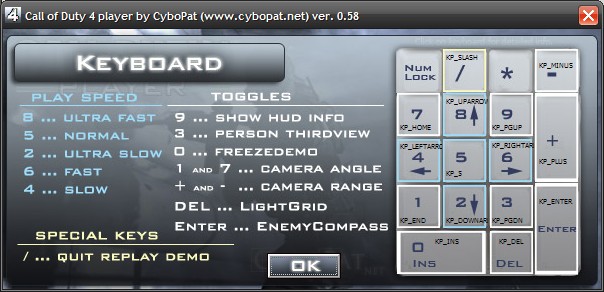
                              I think the COD4Player can remove the HUD on demos, so you could try that.

                              Comment

                              Working...