Hello folks,
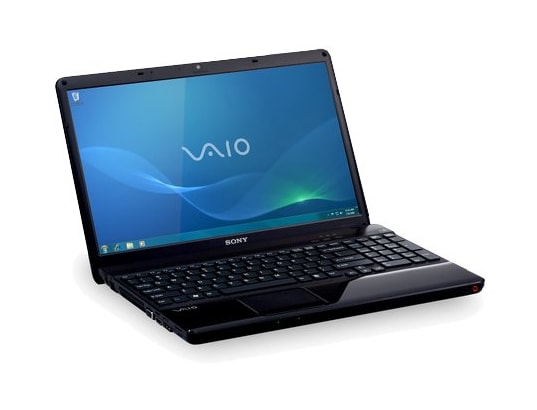
I bought this laptop about 1 year ago back when I lived in Switzerland (QWERTZ keyboard for the win). Due to family issues I had to move to California, so I got a 110V adapter for my 230V laptop charger. So, here's the specifications to get things started:
Windows 7 Home Edition 64bit
Intel Core i3 M330 @ 2.13GHz
4GB DDR3
ATI HD5650 1GB DDR3 RAM
500GB Hard drive, I forgot the RPM
Now, I think that pretty much covers the specifications. So lets talk about my problem. I know this is a pretty lousy rig to play games on, so I stick to BF2142, Battlefield Heroes, Left 4 Dead 2 and Civilization V. All of these games were very easily run on high graphics (Except CiV) up until a month or two ago. Lets take Battlefield Heroes as the best example.
Running the game on full graphics at around 60 FPS in even the biggest of fights. I could even record and still pull off 30 FPS. I even have a few videos I've uploaded to Youtube where you can see it ran pretty good.
Then out of nowhere from one day to the next my performance goes WAY downhill to 15FPS on the same settings as ever. I didn't install anything new on my PC or change any settings. I put the graphics on low and it still ran terribly.
I checked my other games and overall PC performance and I'm having the SAME problems!
So, I reformatted (nothing valuable anyway, just reinstalled my games, Safari, Chrome, and Firefox) and tried again. SAME problem! Only thing that I noticed is that my PC gets very hot, I think it was always like this though. Nothing extraordinarily hot, just thought I'd mention though.
At this point I have no clue what to do, I tried gamebooster to no avail.
Thanks for any help.
I bought this laptop about 1 year ago back when I lived in Switzerland (QWERTZ keyboard for the win). Due to family issues I had to move to California, so I got a 110V adapter for my 230V laptop charger. So, here's the specifications to get things started:
Windows 7 Home Edition 64bit
Intel Core i3 M330 @ 2.13GHz
4GB DDR3
ATI HD5650 1GB DDR3 RAM
500GB Hard drive, I forgot the RPM
Now, I think that pretty much covers the specifications. So lets talk about my problem. I know this is a pretty lousy rig to play games on, so I stick to BF2142, Battlefield Heroes, Left 4 Dead 2 and Civilization V. All of these games were very easily run on high graphics (Except CiV) up until a month or two ago. Lets take Battlefield Heroes as the best example.
Running the game on full graphics at around 60 FPS in even the biggest of fights. I could even record and still pull off 30 FPS. I even have a few videos I've uploaded to Youtube where you can see it ran pretty good.
Then out of nowhere from one day to the next my performance goes WAY downhill to 15FPS on the same settings as ever. I didn't install anything new on my PC or change any settings. I put the graphics on low and it still ran terribly.
I checked my other games and overall PC performance and I'm having the SAME problems!
So, I reformatted (nothing valuable anyway, just reinstalled my games, Safari, Chrome, and Firefox) and tried again. SAME problem! Only thing that I noticed is that my PC gets very hot, I think it was always like this though. Nothing extraordinarily hot, just thought I'd mention though.
At this point I have no clue what to do, I tried gamebooster to no avail.
Thanks for any help.


Comment