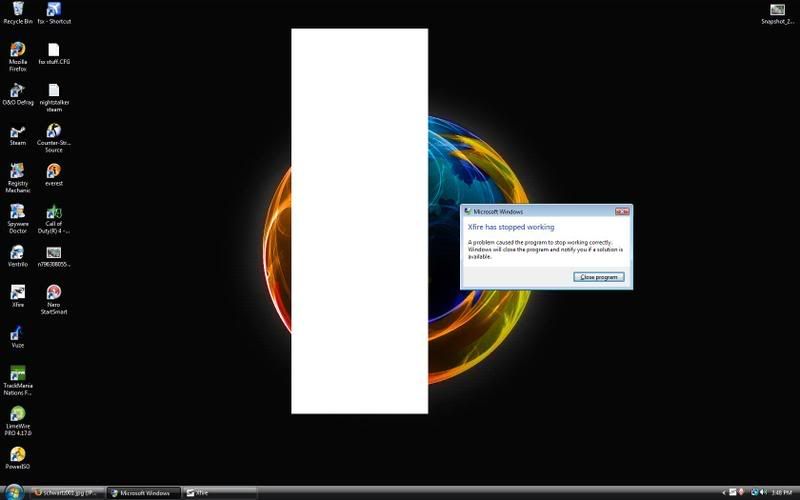
Xfire not working?

Collapse
X
 
  • Time
  • Show
Clear All
new posts
  • Warhawk

    #1

    Xfire not working?

    Not sure if this is really tech center related but when I turned my PC on today, xfire randomly won't start. I tried uninstalling it, running a registry cleaner, rebooting, and then reinstalling and it still won't work. This is the problem its giving me.

  • =98=
    Member
    • Oct 2006
    • 10299

    #2
    Re: Xfire not working?

    Do a system restore?

    Comment

    • Warhawk

      #3
      Re: Xfire not working?

      That did the trick. Its funny cuz right after I restored it, a Microsoft update is available and I remember installing a microsoft update yesterday. That must have screwed up my xfire. Phailosoft!!!!

      Comment

      • TheSpark29

        #4
        Re: Xfire not working?

        As useless as most Windows utilities are, System Restore has saved my *** a number of times. One of the few "features" I actually appreciate.

        Comment

        • Warhawk

          #5
          Re: Xfire not working?

          Figured out what the problem was. For some reason the latest beta version of ATI Tray Tools messes up xfire.

          Comment

          • TheSpark29

            #6
            Re: Xfire not working?

            I also had a conflict between Xfire and ATT. When both were running, BF2 would open and hang at the main screen. (Music was ok, no display) Turns out the on screen display feature of ATT conflicts with Xfire. Both programs apparently use the same method to display windows/info in-game and they conflicted with each other when running simultaneously.

            I like ATT's OSD because it can show temps, fps plus GPU memory usage and the game's memory usage. Very cool. Unfortunately Xfire doesn't support all this. At least it can show FPS. And the (real) time is surprisingly useful. ATT's OSD still is the best.

            My problem only occurred in-game. (unlike yours, but similar) Will these programs ever be able to co-exist?

            Comment

            • Warhawk

              #7
              Re: Xfire not working?

              Xfire can show FPS? How?

              Comment

              • TheSpark29

                #8
                Re: Xfire not working?

                Wow, I can't seem to find it anymore. Maybe it was taken out of the options but not from the program. I get the time and FPS displayed in my games only when Xfire is running.

                Comment

                • =98=
                  Member
                  • Oct 2006
                  • 10299

                  #9
                  Re: Xfire not working?

                  You have to start the game, press "scrl + X" or the button to bring up the Xfire in game menu. The option is in there.

                  Comment

                  • TheSpark29

                    #10
                    Re: Xfire not working?

                    Originally posted by Alex98uk View Post
                    You have to start the game, press "scrl + X" or the button to bring up the Xfire in game menu. The option is in there.
                    Whew. Thanks Alex, you found my sanity. :) (I'm not crazy.. I'm not crazy.. I'm not crazy..)

                    Comment

                    Working...