Burning in a computer?

Collapse
X
 
  • Time
  • Show
Clear All
new posts
  • Valdor4

    #1

    Burning in a computer?

    I am building a custom computer, and need to burn it in. I would like to know some of the ways you can burn it in. Any reply helps!
  • solofowaffles
    Member
    • May 2006
    • 4306

    #2
    Re: Burning in a computer?

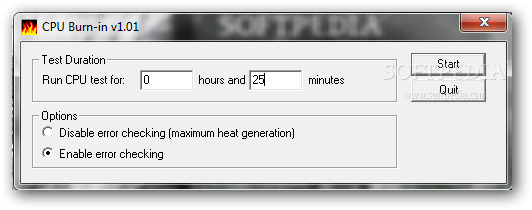
    Download CPU Burn-in - Get an idea whether or not your CPU can deal with application that push it to the limits with the help of this practical and easy to use tool


    this might be something ur looking for.

    Comment

    • megawhompertoo
      oldswab
      • Dec 2005
      • 2124

      #3
      Re: Burning in a computer?

      first, welcome to the forums!

      second--and i mean this in the nicest way possible--if you knew what you were doing, you PROBABLY wouldn't be asking that question.

      unless you're filthy rich or aren't worried about burning up components, overclock in increments. you can test stability with a program like orthos prime (google it). on topic, you can also use orthos to "burn in" your cpu...but i wouldn't.

      your cpu will burn in as you use it. my old hag (not you sweetie if you happen to be looking over my shoulder; my pentium d 915) is clocked at 2.8ghz. when i got it four months ago, max stable cpu:mem 1:1 (12h orthos prime) was 3.5ghz (250fsb) ghz @ 5-5-5-15, with 3.75ghz stable for 3dmark05. now, i'm running at 3.75 (fsb=266) max stable (orthos, 12h), and 4.1 ghz 3dmark05 stable.

      YOUR MILEAGE WILL VARY and you can burn up your components, even when you think you're burning them in. my cpu cost $85, so i won't cry too hard if mine melts. (edit: i'd probably use it as an excuse to justify a four-hundred dollar outlay for a q6600+680i--she's not looking now, believe me.)

      i'm certainly not telling you shouldn't overclock. i'm telling to make sure you're comfortable with replacing whatever silicon you decide to run out of spec.

      Comment

      • Valdor4

        #4
        Re: Burning in a computer?

        Mega, the second thing wasnt very nice:cry: Lol, i kinda know what im doing, but not fully understanding. :banana: Had to use the banana... lol

        Comment

        • solofowaffles
          Member
          • May 2006
          • 4306

          #5
          Re: Burning in a computer?

          Originally posted by Valdor4 View Post
          Mega, the second thing wasnt very nice:cry: Lol, i kinda know what im doing, but not fully understanding. :banana: Had to use the banana... lol
          well overclocking while knowing a "little bit" is NOT GOOD.

          Learn as much as you can,google is very helpful!

          Comment

          • megawhompertoo
            oldswab
            • Dec 2005
            • 2124

            #6
            Re: Burning in a computer?

            Originally posted by Valdor4 View Post
            Mega, the second thing wasnt very nice:cry: Lol, i kinda know what im doing, but not fully understanding. :banana: Had to use the banana... lol
            meh. i care about you not having to buy another cpu more than i care about the extra .2ghz you may--or may not--get out stressing a new cpu?

            if you know what you're doing, then my apologies. :)

            orthos prime, overnight, tomorrow...all week...

            edit...but i still wouldn't.

            Comment

            • Valdor4

              #7
              Re: Burning in a computer?

              am not planning to overclock. dont want to take the risk of somethin going wrong. DO NOT want to replace part with my hard earned money (Christmas and birthday money from realitives). Parents arent going to give me another penny, as they just spent $1000 on me. No overclocking, at least for a while.

              Comment

              • megawhompertoo
                oldswab
                • Dec 2005
                • 2124

                #8
                Re: Burning in a computer?

                oh...begs the question as to why you'd want to burn in your cpu? own stock in an electrical plant? :)

                seriously. there's no need whatsoever to burn in your silicon. it's spec'd to run stable, out of the box, at the speed it's rated for ~10+years. you'll upgrade 7 years before it's dead, unless you make it a print server or something.

                edit: and if you make it a print server (or 24h/day f@h box, or what have you), it may even run longer. i've got compaq laptop from 1997 that is still going strong doing that very thing.

                Comment

                • Valdor4

                  #9
                  Re: Burning in a computer?

                  Well then, guess this thread is closed now. Thanks for help!:) :laugh: :hmm: :shock: :dead: :salute: :rofl: :censored: :wall: :nerr: :guns: :shoot: :box: :p :cry: :|: :evil: :evil: :nod: :yay: :shakehead: :laugh2: :hi: :cussing: :thatsbad: :rock: :ar15: :drevil: :blabla: :locked: :banana:

                  Cant get enough of those smilies!!

                  Comment

                  • Stillhouse

                    #10
                    Re: Burning in a computer?

                    If you're not going to overclock then there is no need to "burn in" anything. You can run some stress testing programs to ensure you build is stable, but you're not going to improve performance by doing so.

                    Not to derail the thread or start an argument, but CPU burn-in is increasingly being accpted as a myth. Essentially after the manufacturer does their burn-in(at higher temperatures than most systems could or should create) there is no benefit to be gained aside from speeding up the time it takes for thermal paste to cure.

                    This from a design engineer for Intel:

                    Seeking answers? Join the AnandTech community: where nearly half-a-million members share solutions and discuss the latest tech.

                    Comment

                    Working...