Best Gaming Mouse?

Collapse
X
 
  • Time
  • Show
Clear All
new posts
  • Venomous

    #31
    Re: Best Gaming Mouse?

    G7 is awesome

    Comment

    • TheEn|gma
      Member
      • Jun 2005
      • 5247

      #32
      Re: Best Gaming Mouse?

      Originally posted by Eternal-Souljah
      £51.35

      If only there was no Vat lol. You can buy it from Play.com for £50 no delivery charge, takes 3 days. If thats not on your trusted list it should be :).
      Yeah I use Play.com occasionally, however the two times I've used them once they sent me the complete wrong stuff (I ordered 3 UMD Movies and they sent me 3 UMD demo discs ) and the other they sent me the extended "special box" version of Band of Brothers instead of the normal one, which was kind of good but hey.

      Comment

      • Eternal-Souljah

        #33
        Re: Best Gaming Mouse?


        This mouse goes up to 2500DPI and is only £17.

        Comment

        • TheEn|gma
          Member
          • Jun 2005
          • 5247

          #34
          Re: Best Gaming Mouse?

          Originally posted by Eternal-Souljah
          Eagle, when you get your Razer Copperhead Mouse. A review or even pics would be appreciated.
          Review per request:

          First of all I think I have only ever used two mice, the second more gaming
          wise. Originally I had a cheapo £10ish ball mouse and secondly a bog-standard MS Optical Mouse.

          So after a massive problem with delivery my Razer arrived today. After a particularly boring day at head I returned home to this baby and all I can say is WOW! I never realized how much of a difference a gaming mouse can make.

          First of all what is in the box:

          Your new mouse
          A certificate of authenticity
          A manual.


          The box itself

          After a few minutes of wrestling with the box and plastic thing and trying to keep it in one piece I got into the real deal. Let me just take a moment to describe my first impressions. Its light. A lot lighter than my old mouse that was what stood out. At first in the box the mouse didn't visually look that impressive the same when I had taken it out its box.


          The components out on the desk
          So I had a quick flick through the manual I placed it on my desk whilst doing so I noticed how well it skimmed across my desk the Teflon really is leaps and bounds above my old mouse this combined with being so light really impressed me.

          So I connected her up to my rig. After I had retrieved my head from the back of the my PC I noticed how good looking it was from the ergonomic look and feel and the lights. I continued on to installing the drivers and then as always restarting.

          As you guys may or may not know this mouse has 7 programmable buttons. Another thing that I noticed that was really different from my MS Optical mouse was the size of the two main buttons. They are HUGE! I never expected them to be so big.


          I've got fairly small hands and these buttons are gigantic!

          I'm not going to deny it at first your not going to play as well as you normally do. Its very different and you need to find a DPI that suits you and the game that you are playing. So I booted up vBF2, I played for Vanilla for first time since PoE2 was released last night, needless to say last night I got my back-side handed to me. However this evening after about ~10 minutes of getting used to the high DPI in comparison to my old mouse I started really getting some kills and decent Kill to Death ratio.

          Next thing the buttons as I mentioned earlier the Razer Copperhead has 7 programmable buttons, I haven't got round to playing too much with this I've set up two of my buttons to bring up the Med Pack and Shock Paddles which after a little while getting used to not gripping my mouse so much became very useful.

          Secondly DPI. You can adjust this with the standard config by pushing one of the buttons on the right hand side of the mouse on of the two buttons takes the DPI up from 400 to 800 to 1600 and finally to 2000. The second button (the closest to you) is used to take it back to the default 400. On the under side there is a useful little button that is used to reset your profile and DPI.


          The underside the button I was talking is in between the laser and the bottom teflon pad

          I went on to test it in SWAT4:TSS the game is not really suited to moving your character around quickly as it affects your accuracy a lot. It was useful and a hindrance I will probably be using like 800DPI for SWAT. A high DPI will be very useful for RTS, I gave it a quick run on the top DPI on AOE3 and found it extremely useful to scroll across the map a lot, lot quicker than I would normally.


          The copperhead in all its glory
          (Excuse the bluryness for some reason its realy bad when flash is off )

          That about it to be honest if you have any questions you want to ask or you want me to take anymore pictures of this thing then just shoot otherwise I’m going to go get accustomed to this mouse some more!

          Comment

          • Eternal-Souljah

            #35
            Re: Best Gaming Mouse?

            Nice review thanks for that.

            Question time :

            So upon looking at what you said, the high dpi is prefered for RTS games. For games such as BF2 and Q4 etc for DPI is it suited lower? because I would use it for games like that mainly FPS, so would it matter if you got the 1600DPI mouse or the 2000DPI mouse for FPS?

            Still look at the specs on this:

            http://www.a4tech.com/en/product2.as...103&MNO=X-750F

            Goes up to 2500DPI and has various features such as click once and on fps you fire 3 bullets.

            Comment

            • TheEn|gma
              Member
              • Jun 2005
              • 5247

              #36
              Re: Best Gaming Mouse?

              Originally posted by Eternal-Souljah
              So upon looking at what you said, the high dpi is prefered for RTS games. For games such as BF2 and Q4 etc for DPI is it suited lower? because I would use it for games like that mainly FPS, so would it matter if you got the 1600DPI mouse or the 2000DPI mouse for FPS?
              Personally I think that 1600DPI is perfect for me and BF2, however I may have the need and/or will to take it up to 2000DPI. I said that high DPI is very useful for RTS players, but not exclusively useful for RTS players. As it stands I just think that right now using 2000DPI is just too much for me personally and decreases my accuracy by making me go too far in the wrong direction.


              Originally posted by Eternal-Souljah
              Still look at the specs on this:

              http://www.a4tech.com/en/product2.as...103&MNO=X-750F

              Goes up to 2500DPI and has various features such as click once and on fps you fire 3 bullets.
              That certainly has some useful features but again I personally have no need for such high DPI in FPS. I was doing pretty damn well without my Copperhead and now even better. I guess therefore after you get used to that mouse, it could raise your game even further. I guess there is only one way to find out my friend.

              Comment

              • Eternal-Souljah

                #37
                Re: Best Gaming Mouse?

                Originally posted by EAGLE_18
                Personally I think that 1600DPI is perfect for me and BF2, however I may have the need and/or will to take it up to 2000DPI. I said that high DPI is very useful for RTS players, but not exclusively useful for RTS players. As it stands I just think that right now using 2000DPI is just too much for me personally and decreases my accuracy by making me go too far in the wrong direction.


                That certainly has some useful features but again I personally have no need for such high DPI in FPS. I was doing pretty damn well without my Copperhead and now even better. I guess therefore after you get used to that mouse, it could raise your game even further. I guess there is only one way to find out my friend.
                Was also looking at this:

                Razer Diamondback Plasma:

                Since 1999, we've paid our members over $3.6 Billion in Cash Back. Join now for an extra 10% Cash Back boost. Shop 3,500+ stores using coupons or cash back!


                This mouse looks really good. It is 1600DPI and again im using it for mainly FPS the only RTS game I have is Company of Heroes. So what does the Copperhead offer so much more over the Diamondback Plasma? or is it just that the Copperhead has 2000DPI. Im just trying to get an idea if I would really use over 1600DPI, and from gathering what you are saying it seems like I wouldn't really need any more then 1600DPI.

                I like both the Copperhead and Plasma, its just the Plasma is cheaper but is it worth the extra £13 for the Copperhead? it just seems £50 for a mouse is a lot of cash.

                Oh yeah what mouse surface do you use? I've read that its best suited on the Razer mouse mats like the Mantis etc.

                Comment

                • D_Twice

                  #38
                  Re: Best Gaming Mouse?

                  Those pictures Look HAWT

                  I'll be gettin' my copperhead this week (also tempest blue) goes good with the leds from my PSU:)

                  Looking really forward to it

                  Comment

                  • imported_Rumple9

                    #39
                    Re: Best Gaming Mouse?

                    Logitech mx1000 beats them all, principally beacuse it has 9 programmable buttons

                    Comment

                    • [H2H]Haggis

                      #40
                      Re: Best Gaming Mouse?

                      Originally posted by Eternal-Souljah
                      Was also looking at this:

                      Razer Diamondback Plasma:

                      Since 1999, we've paid our members over $3.6 Billion in Cash Back. Join now for an extra 10% Cash Back boost. Shop 3,500+ stores using coupons or cash back!


                      This mouse looks really good. It is 1600DPI and again im using it for mainly FPS the only RTS game I have is Company of Heroes. So what does the Copperhead offer so much more over the Diamondback Plasma? or is it just that the Copperhead has 2000DPI. Im just trying to get an idea if I would really use over 1600DPI, and from gathering what you are saying it seems like I wouldn't really need any more then 1600DPI.

                      I like both the Copperhead and Plasma, its just the Plasma is cheaper but is it worth the extra £13 for the Copperhead? it just seems £50 for a mouse is a lot of cash.

                      Oh yeah what mouse surface do you use? I've read that its best suited on the Razer mouse mats like the Mantis etc.
                      i personally use the plasma and have done for about year and a half now and i would recommend it. As far as i can tell the copperhead has the extra dpi and different style of lighting but thats about the only differences although reading the review the on the fly sensitivity feature is slightly different as with mine i click the button and scroll the mouse wheel to whatever sensitivity i want.

                      Although saying all that if you are buying a new mouse you may as well go for best you can afford and for a high quality gaming mouse £50 is about right. Thats what i paid for mine when i got it. But the choice is yours.

                      Comment

                      • N2K

                        #41
                        Re: Best Gaming Mouse?

                        I like the M518 because I have a big hand and it fits perfect

                        Comment

                        • Consultant01

                          #42
                          Re: Best Gaming Mouse?

                          Originally posted by Revoluti0n
                          Razer Read the specs on any of the mice, they have the same mount of buttons as a Logitech, but they are more comfortable.
                          Im looking at the pics and I dont see anything but 2 buttons on top... are the 5 others hiding?

                          Originally posted by Need_2_Kill
                          I like the M518 because I have a big hand and it fits perfect
                          Thats exactly why I have a Logitech. I got the MX510 when it was brand new and it rocks. No issues what so ever.

                          Comment

                          • kulamonster3

                            #43
                            Re: Best Gaming Mouse?

                            RAZER by far!!! I use the Razer Diamondback which is 1600dpi, but would like to upgrade to the Copperhead which is 2000dpi! They really do make an awesome mouse and for only $50-60 US dollars!!! You have to be careful and turn down the settings when sniping or flying, because it is an ultra sensitive mouse, but it has control on the fly settings which are also nice!

                            Comment

                            • Holle

                              #44
                              Re: Best Gaming Mouse?

                              Originally posted by Revoluti0n
                              Razer Read the specs on any of the mice, they have the same mount of buttons as a Logitech, but they are more comfortable.

                              Both my son's PC and mine have Razor mice. his is optical and mine is the lazer. Both are very good.


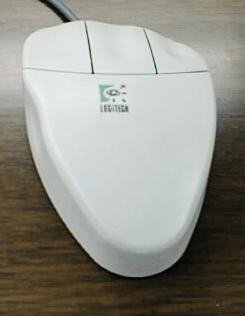
                              But I do miss this.


                              Originally posted by Consultant01
                              Im looking at the pics and I dont see anything but 2 buttons on top... are the 5 others hiding

                              2 buttons on top, + mouse scroll button.

                              2 on the right and left side.


                              Total 7 buttons.

                              Comment

                              • Chopper1989

                                #45
                                Re: Best Gaming Mouse?

                                Best mouse i've used has always been a Logitech. MX Rrevolution is a great bit of kit. Lasts the test of time when your playing non-stop all night online and then for however long it takes you to loose a game and throw it against a wall because you were 1 frag away from winning the match

                                Comment

                                Working...