Only the default (TGN Light) theme for now. Dark them is also coming back soon. Then CSN. Then Wrestlin' Nation. A lot of WIP stuff right now. There are a couple of things still not working either. Sorry.
Is such a high graphics card temperature (90C) normal?
Re: Is such a high graphics card temperature (90C) normal?
Originally posted by Heatseeker_no.1
Rivatuner or the latest nvidia drivers can display your temperatures as a graph, so you can alt tab out of the game and see what the temps were.
Yeah that was my other suggestion TED. Forget to put it in my last post.
Load the newest Nvidia Drivers and:
Right click desktop
Properties
Settings
Advanced
CLick on the Panel with the name of your card on it
Sidepanel
Temperture Settings
Check and see what the current temperture is, and what the threshold is set at. Also see if the warning option is checked or unchecked. It's another source of information, and another place to set a warning in order to save the card. Unless it's meant to run as hot as you say it has and not sustain any damage (which I think is doubtful), going down the present path your on you could damage the card. Once it's damaged it can cause all kinds of odd anomolies like crashing ,and display problems that are impossible to troubleshoot.
OEM cards or even retail Vcards are funny. I've seen identically speced out Vcards (dram, coreclocks etc) on the shelf next to each other, one with a fan and one without. Companies do their own testing and quality control when it comes to how hot the cards run.
Either way getting some type of a fan on the card's board itself is not going to hurt.
Re: Is such a high graphics card temperature (90C) normal?
I went and contacted Nvidia and they told me to uninstall the newest drivers and install the 81.94 drivers from march this year and they gave me a direct link to the driver download page, right after installing the old drivers I found that the temperature of the card as mentioned in the nvidia temperature viewer it was 77 degress on dual view setting after install it went to 71 and ingame on BF2 (using rivatuner to see ingame temp) it was 97 degrees ingame on the newest drivers, installed the old drivers nvidia told me to use and it changed to 94 constant.
So i dont know what was the difference the card ran the same (clock speed), same day, same room and yet a 3-6 degress temp difference that is somehow caused by the drivers.
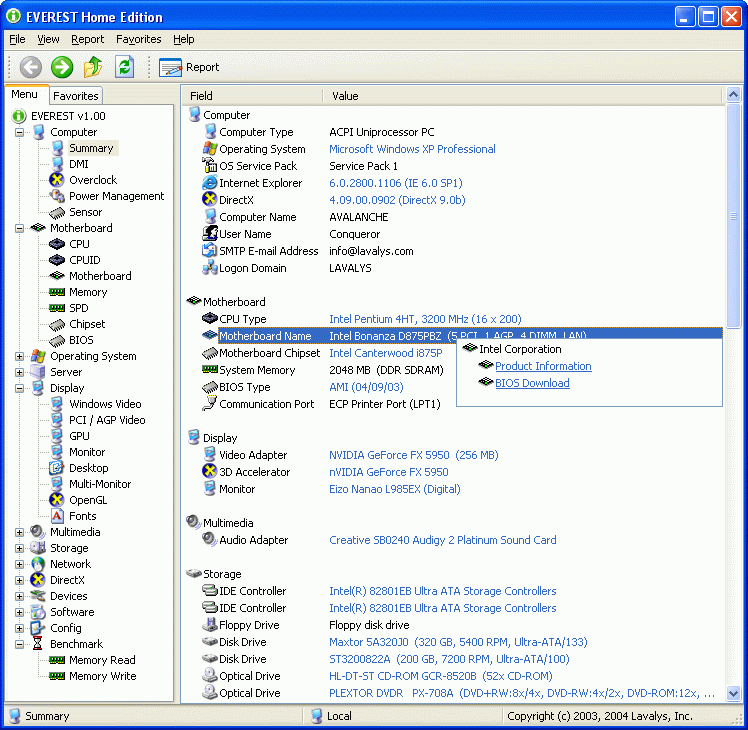
EVEREST Home Edition is a freeware system information, system diagnostics and benchmarking solution for home PC users, based on the award-winning EVEREST Technology....
But it doesn't show them in game. You have to tab out.
I recently installed a Zalman GPU cooling fan on my 6800 GT. Here's the before and after:
Before.............................After
idle @ 66 C.....................Idle @ 48 C
Loaded @ 86~88 C..........Loaded @ 55 C
You might consider doing that....they're only about 30 bucks.....well worth it.
Re: Is such a high graphics card temperature (90C) normal?
Originally posted by TedStokes168
I went and contacted Nvidia and they told me to uninstall the newest drivers and install the 81.94 drivers from march this year and they gave me a direct link to the driver download page, right after installing the old drivers I found that the temperature of the card as mentioned in the nvidia temperature viewer it was 77 degress on dual view setting after install it went to 71 and ingame on BF2 (using rivatuner to see ingame temp) it was 97 degrees ingame on the newest drivers, installed the old drivers nvidia told me to use and it changed to 94 constant.
So i dont know what was the difference the card ran the same (clock speed), same day, same room and yet a 3-6 degress temp difference that is somehow caused by the drivers.
Do you want to post that link for me as I want that driver too.
We process personal data about users of our site, through the use of cookies and other technologies, to deliver our services, personalize advertising, and to analyze site activity. We may share certain information about our users with our advertising and analytics partners. For additional details, refer to our Privacy Policy.
By clicking "I AGREE" below, you agree to our Privacy Policy and our personal data processing and cookie practices as described therein. You also acknowledge that this forum may be hosted outside your country and you consent to the collection, storage, and processing of your data in the country where this forum is hosted.
Comment